الثلاثاء، 13 مارس 2018

Camera-based Google Lens comes to the Galaxy S9 and Galaxy Note 8

Google Lens is a visual search tool that the internet search giant announced last year. It analyzes what the smartphone camera sees and then provides relevant content. The feature is called Google Lens and while it was initially kept exclusive to Google’s Pixel handsets, the company decided to bring Lens to all Android devices running Google Photos last week.

The company had also said at the Mobile World Congress 2018 last month that the camera-based Google Lens experience would be rolled out to select “compatible flagship devices.” While it didn’t mention any of Samsung’s devices, the company’s flagships have received it. The camera-based Google Lens experience is available on the Galaxy S9, Galaxy S8 and Galaxy Note 8.

Camera-based Google Lens on Galaxy S9

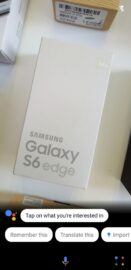
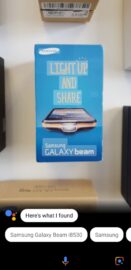
The camera-based Google Lens experience provides functionality similar to Bixby’s AR features. First, launch Google Assistant on the device and then tap on the Google Lens logo in the bottom right corner. This will launch the camera UI and that’s when you point at an object and if Lens recognizes it, it will provide relevant information about the object.

Google Lens also comes in handy when you want to quickly add information from a business card to your contacts. It can create a contact from a business card and can also be used to identify landmarks around you.

However, it appears that this functionality hasn’t been made available to those who are running the stable version of the Google App on their devices. We’ve also tested this on our devices and confirmed that the camera-based Google Lens experience is only enabled on the Galaxy S9, Galaxy S8 and Galaxy Note 8 when the beta version of the Google App is installed. Those who don’t have it can head over to the Play Store right now to sign up for the beta and download the app.

Since Google is already testing this feature in the beta version of the app, it may only be a matter of time before the stable version of the app gets this functionality as well.

The post Camera-based Google Lens comes to the Galaxy S9 and Galaxy Note 8 appeared first on SamMobile.


from SamMobile http://ift.tt/2Iltjsp
via IFTTT
Three reasons to buy the Galaxy S9 or S9+ over the Galaxy S8 or S8+

The Galaxy S9 and Galaxy S9+ are here, and Samsung’s 2018 flagships will be the devices all other flagships will be measured against. The Galaxy S9 and S9+ pack the latest and greatest tech, including a camera with physically adjustable aperture, but while the two phones will be hogging all the limelight in the coming weeks (and have been since they were unveiled), some consumers will be looking to pick up a Galaxy S8 or Galaxy S8+ for a lower price. There’s certainly sense in saving money and going for a year-old flagship that does most of the things as the device that succeeds it, but before you make the final decision, we want to point out three features that we think make the S9 and S9+ a better purchase.

Stereo speakers

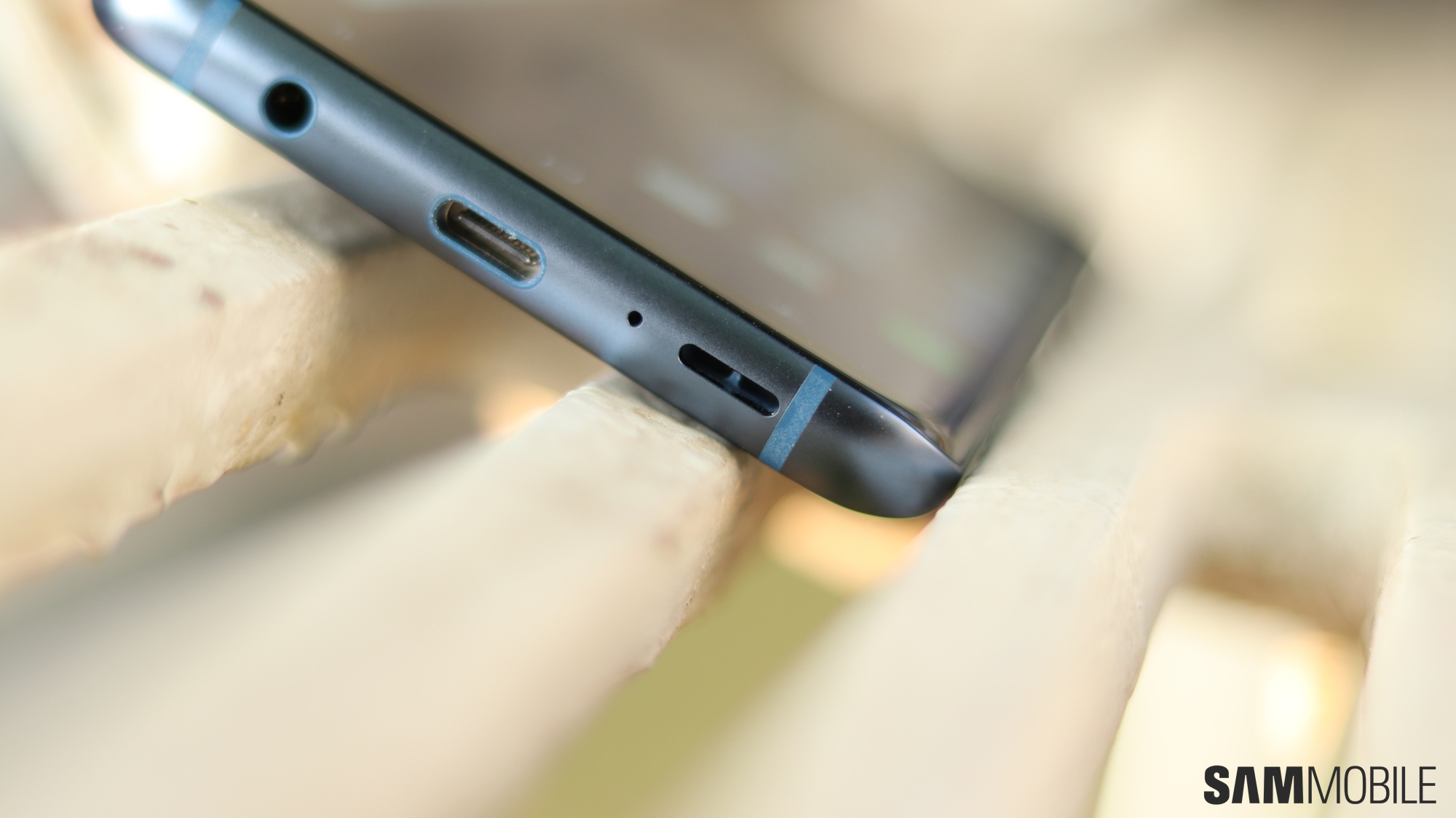
Need we say more? Samsung fans have been demanding stereo speakers on the company’s flagships for ages, and the company finally relented. Or, well, it just bought Harman at the right time and decided to put the newly onboarded talent to good use. In any case, the Galaxy S9 and Galaxy S9+ offer you stereo sound through the loudspeakers (though there’s only one true speaker; the earpiece doubles up as the second speaker). The speakers are tuned by AKG and are four times louder than the single speaker on the Galaxy S8 and Galaxy Note 8.

They also offer Dolby Atmos surround sound to put you right in the center of the action, and as we noted in our review, the overall experience is a great one. Not the best if compared to the competition, which has been doing stereo sound on flagship phones for longer, but a far cry from the pitiful non-wired audio of yesteryear Galaxy flagships.

Super slow-mo videos

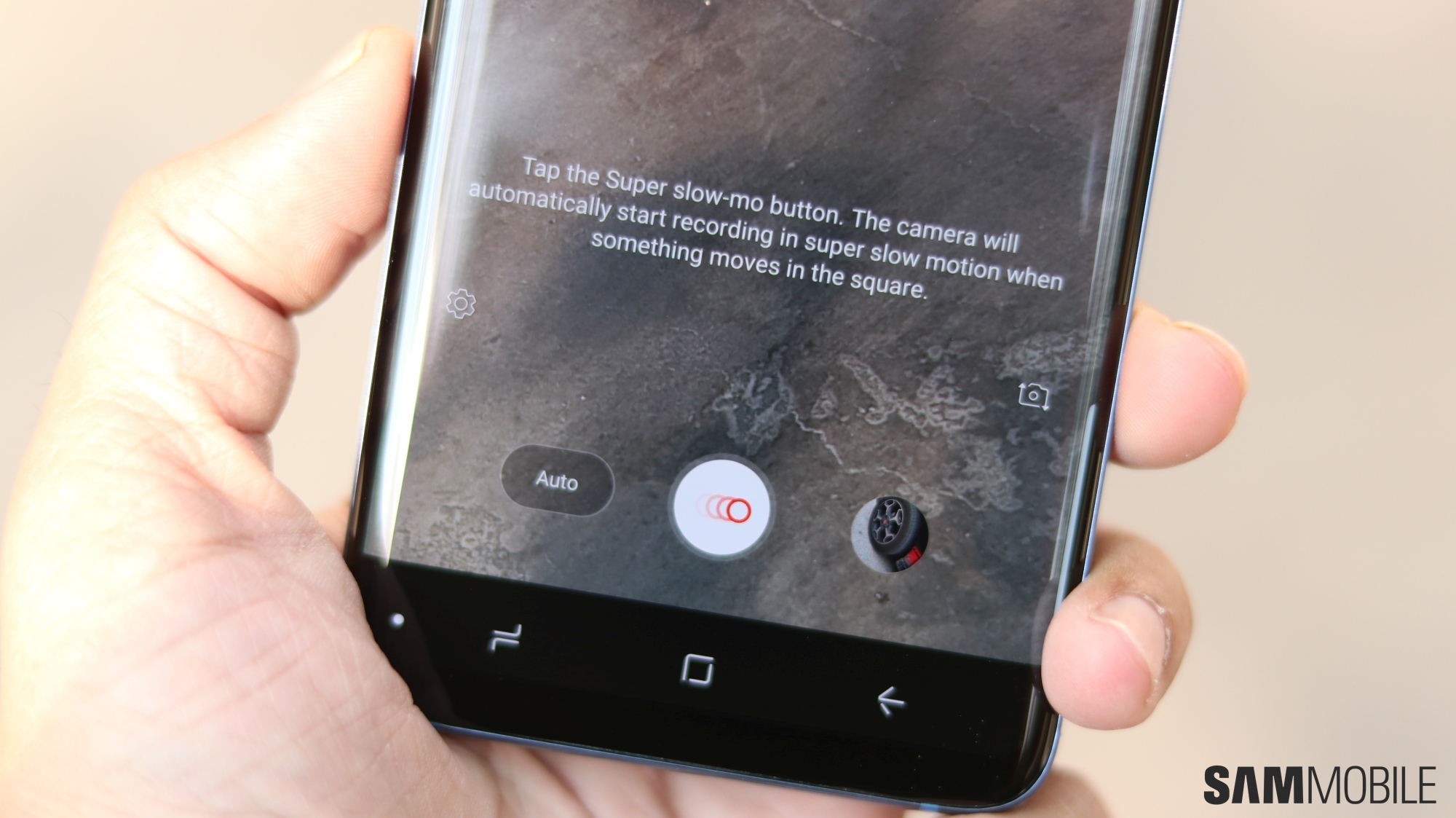
Not everyone is interested in taking slow-motion videos, or even regular videos for that matter, but those who are (especially parents and animal lovers) will find the super slow-mo recording feature on the Galaxy S9 and S9+ extremely fun to use. At 960 frames per second, super slow-mo videos taken on the S9 and S9+ can stretch a 0.2 second moment into a six second clip.

These phones can even use artificial intelligence to detect motion in a frame and record super slow-mo moments without any user input. These videos can lack detail, as they are recorded in 720p (1280×720 pixels), but you can always switch to regular slow-motion videos when the occasion calls for it.

Check out a few of our super slow-mo samples to see what makes the feature so inviting.

Guaranteed software updates until 2020

The Galaxy S8 and Galaxy S8+ are still in their prime when it comes to software support, but a year later these phones will not be as important when it comes to updates, especially major ones that bring a newer version of the Android operating system. Security updates will continue, but the frequency will go down as Samsung will shift its support to more recent devices.

If software updates matter to you, the Galaxy S9 and Galaxy S9+ become the more sensible choice. It’s possible many users will be waiting too long for the Android P update next year, but if Samsung can put the Project Treble support on its new flagships to good use, the update scenario for the S9 and S9+ may be better than it was (or is) for the Galaxy S8 and S8+.


As you must have noticed by now, the list above doesn’t include reasons to buy the Galaxy S9 and S9+ in general. These are features that can enhance the overall user experience and make the S9 and S9+ a better choice over the Galaxy S8 or S8+, despite the lower prices the latter two might be carrying in your country.

Of course, it’s not an exhaustive list, and if you think there are other reasons to opt for the S9 and S9+ over their predecessors, do let us know in the comments section. Also check out a few pictures of the Galaxy S9 and Galaxy S8 side by side, and read our full Galaxy S9 review to see what makes Samsung’s latest top-of-the-line handsets tick.

The post Three reasons to buy the Galaxy S9 or S9+ over the Galaxy S8 or S8+ appeared first on SamMobile.


from SamMobile http://ift.tt/2FL5v2p
via IFTTT

Galaxy S9 clear back mod puts the phone’s internals on full display

If you want to make your new Samsung flagship stand out, maybe take a look at this Galaxy S9 clear back mod which is going to put the phone’s internals on full display. What you’ll essentially be doing is feeling off the paint from the back cover thus exposing the inner components. Bear in mind, though, that this is going to void your warranty.

Galaxy S9 clear back mod

This Galaxy S9 clear back mod has been demonstrated by YouTuber JerryRigEverything who did the same for the Galaxy S8 and the Galaxy Note 8 last year. His video will walk you through the steps that you need to take in order to make this happen.

The process involves heating up the device to loosen the adhesive that keeps the back glass in place followed by lots of poking and prodding to get the adhesive out of place so that the back glass can be lifted. Some of you will already have figured out by now that this process will damage the device’s waterproofing for good.

The next step involves removing black plastics that cover up the phone’s internals. Some non-essential bits and pieces are cut up and discarded. While the wireless charging pad could be removed on the Galaxy S8 to expose more of the internals, it can’t be removed on the Galaxy S9 since there’s a battery temperature sensor attached to it. If the pad is removed, the device won’t be able to charge even when plugged in and that would render it useless.

The penultimate step in this Galaxy S9 clear back mod then involves stripping the paint from the back glass and removing the laminate layer. However, with the laminate layer out of the way, the glass wouldn’t be held in place if the phone was dropped. It would fly everywhere. All that’s left to do next to finish this Galaxy S9 clear back mod is to use some double-sided tape to attach the back panel.

It’s easier said than done particularly if you have no experience tinkering with smartphone hardware. Not to mention the fact that you’ll be voiding the warranty and damaging its waterproofing. Nevertheless, it’s interesting to watch it all happen, so do check out his video below.

The post Galaxy S9 clear back mod puts the phone’s internals on full display appeared first on SamMobile.


from SamMobile http://ift.tt/2pbMPi3
via IFTTT

الاثنين، 12 مارس 2018

Europe-bound Galaxy J8+ (2018) in development

Samsung appears to be working on several new Galaxy J series smartphones due later this year one of which is likely going to be the Galaxy J8 (2018). It appears that there’s going to be a “Plus” variant of this device as well since some circumstantial evidence has surfaced to suggest that Samsung will launch the Galaxy J8+ (2018) in the not too distant future.

Galaxy J8+ (2018)

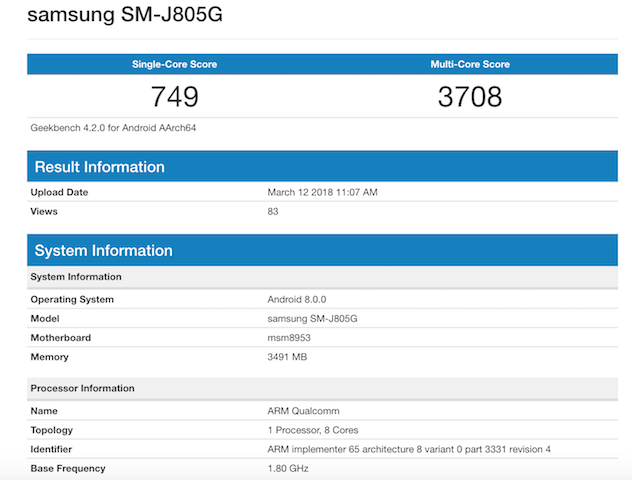
Recent benchmark results revealed that a device with model number SM-J800FN is being internally tested by Samsung and it might be launched as the Galaxy J8 (2018). Now, a device with model number SM-J805 has been spotted in the benchmark website’s database, suggesting that the Galaxy J8+ (2018) might be launched alongside this device as well.

Reports suggest that the upcoming Galaxy J8 handsets will feature a flat Infinity Display much like the Galaxy A8 and Galaxy A8+ (2018) released earlier this year. Since the 18.5:9 aspect ratio will do away with the physical home button, the fingerprint reader will have to be relocated to the back.

The upcoming J series handsets are believed to be powered by Samsung’s Exynos 7870 processor. It’s the same chip that Samsung has previously used for some other devices in the Galaxy J series such as the Galaxy J7 Prime, Galaxy J7 (2017) and the Galaxy J5 (2017).

While the smaller Galaxy J8 (2018) was expected to tout 3GB of RAM, the Galaxy J8+ (2018) might bump it up to 4GB. Both handsets will likely be launched with Andriod 8.0 Oreo out of the box. Samsung is yet to confirm at this point in time when we can expect the new Galaxy J series handsets to arrive and how much they’ll cost when they’re released.

We’re aware that these handsets are being prepared for markets across Europe. If history is any indication and one goes on Galaxy J series launches in the past, then it appears that the new Galaxy J lineup will be announced by Samsung in the summer this year.

The post Europe-bound Galaxy J8+ (2018) in development appeared first on SamMobile.


from SamMobile http://ift.tt/2IolTVg
via IFTTT

PSA: Galaxy S9 and Galaxy S9+ can also take regular slow-motion videos

Super slow-mo video recording, or slow-motion videos at 960 frames per second, isn’t something introduced to smartphones by the Galaxy S9 and Galaxy S9+. Sony was the first to offer such a feature. Samsung’s super slow-mo feature on its new flagships works the same way as Sony’s, but given the much higher consumer reach of the company’s Galaxy S line, we can expect other manufacturers to finally jump on the bandwagon (especially with Samsung selling its latest camera sensor to other companies). Samsung has also added a neat trick: The Galaxy S9 and S9+ can automatically record super slow-motion video when they detect movement, allowing you to just set up the phone, tap the record button, and let the camera do the rest.

In fact, Samsung seems to be so proud of super slow-mo that it has hidden away the option to record regular slow-motion videos (240 frames per second). Not everything needs to be stretched from microseconds to multisecond moments, though, and regular slow-motion videos are also recorded in higher resolution (Full HD/1080p vs HD/720p for the super slow variety), making them more suitable for everyday moments. They have no time limit, either, while you can capture a maximum of 20 super slow-motion moments per video in manual mode and just one frame of movement when you enable motion detection.

How to enable regular slow motion videos on the Galaxy S9

So how does one take standard slow-motion videos on the Galaxy S9 and S9+? The process involves enabling the regular Slow motion camera mode from the camera settings. If you have the Galaxy S9 or S9+ or are planning to get one in the future, here’s what you need to do:

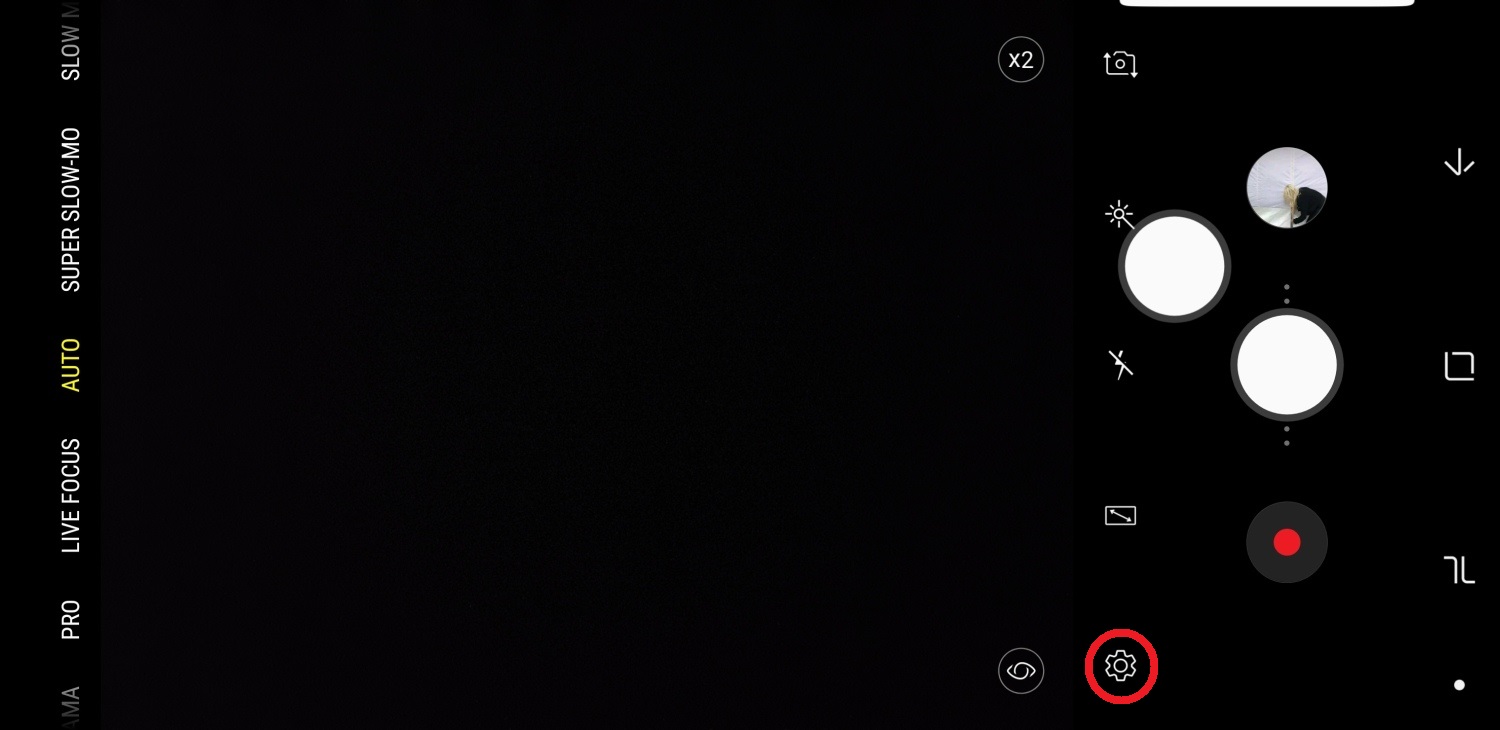
Step 1: Open the camera app, then go into the camera settings (by tapping the gear icon).

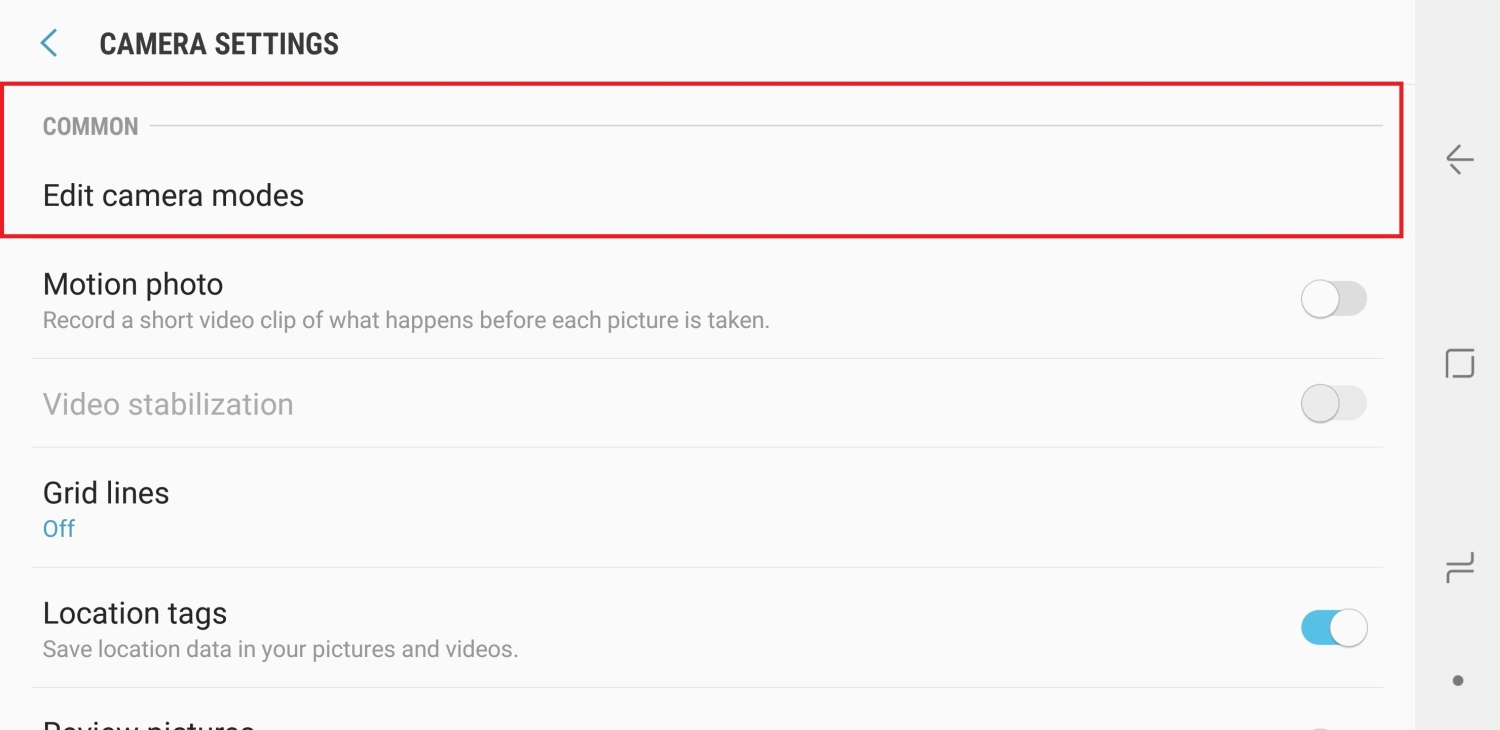
Step 2: Scroll down to the Common section, and tap the Edit camera modes option.

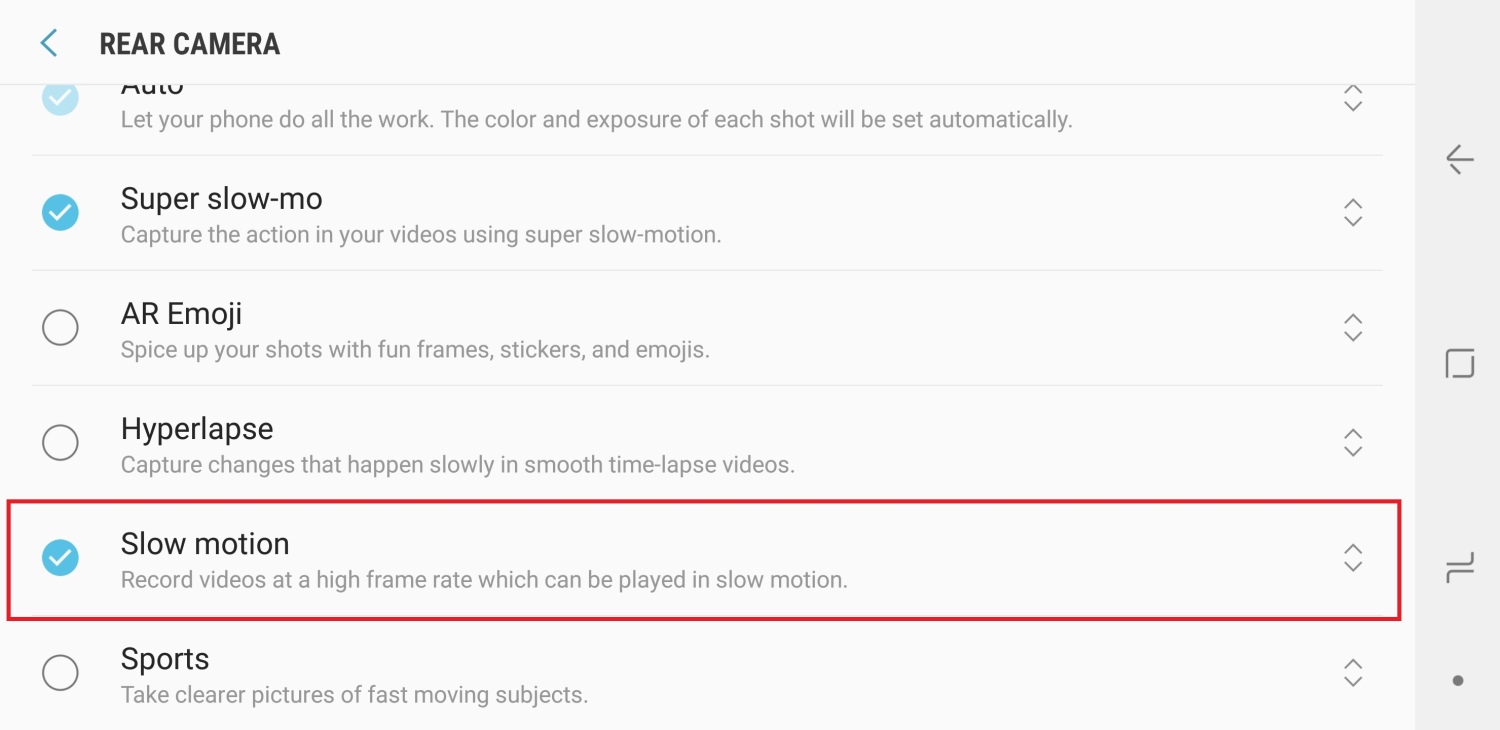
Step 3: Tap Rear camera.

Step 4: Here, scroll down to the bottom to find the Slow motion option in the list of camera modes and tap it to enable the mode. You can also reposition the different modes to change how they show up in the camera app. Just tap and hold the arrow icon next to a mode and drag it to the desired position.

You can now access the regular slow motion mode from the camera viewfinder by swiping to the left or right, depending on where you placed the slow motion mode in the final step above. Of course, you can always switch back to super slow-motion recording when you feel a moment calls for it, such as some of the moments we shared with our readers here.

We have more Galaxy S9 tips that you can check out to get the most out of your device. Also, take a look at our Galaxy S9 review for our verdict on the camera prowess as well as other aspects of Samsung’s newest flagships.

The post PSA: Galaxy S9 and Galaxy S9+ can also take regular slow-motion videos appeared first on SamMobile.


from SamMobile http://ift.tt/2p5c3j3
via IFTTT

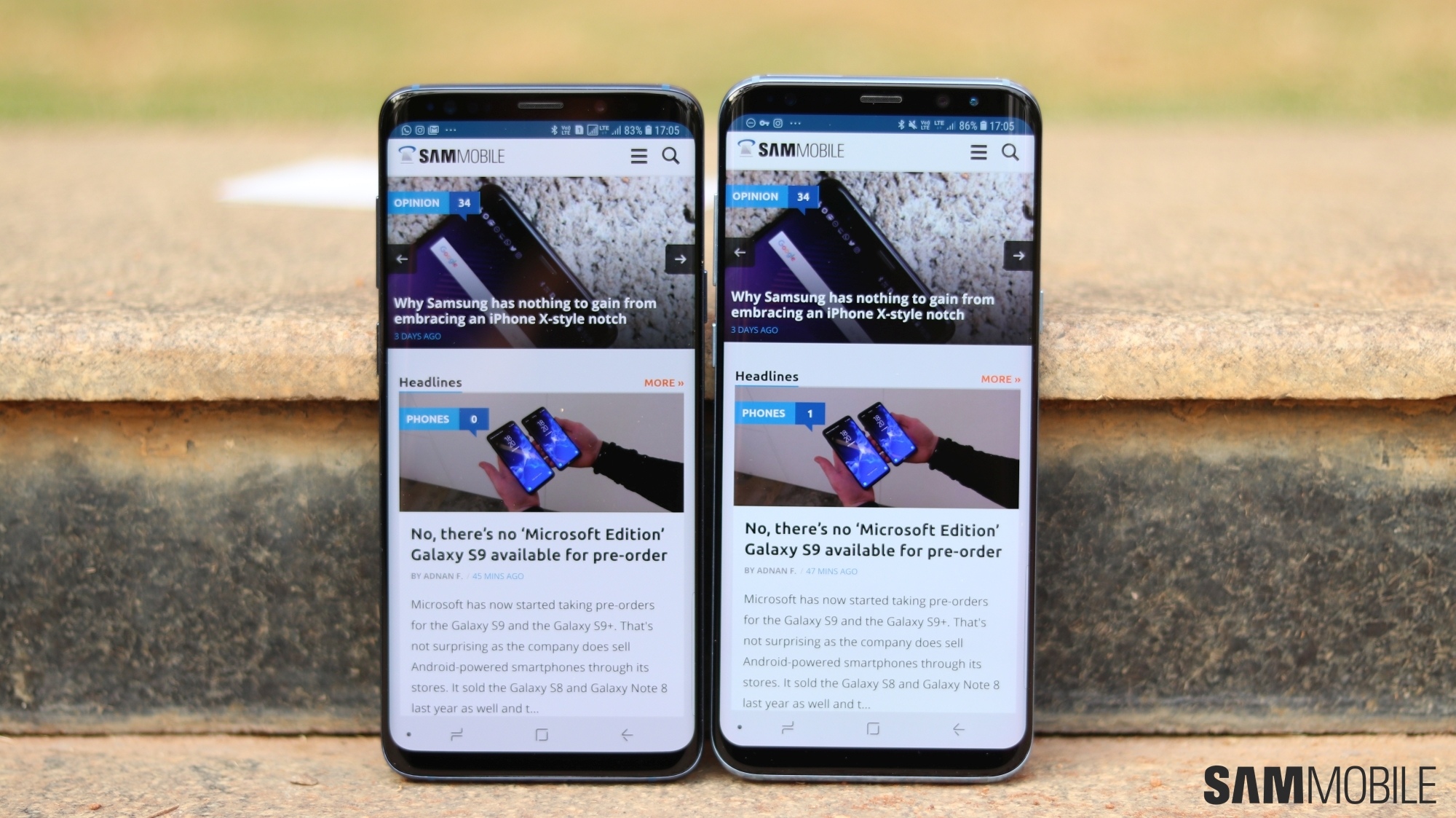
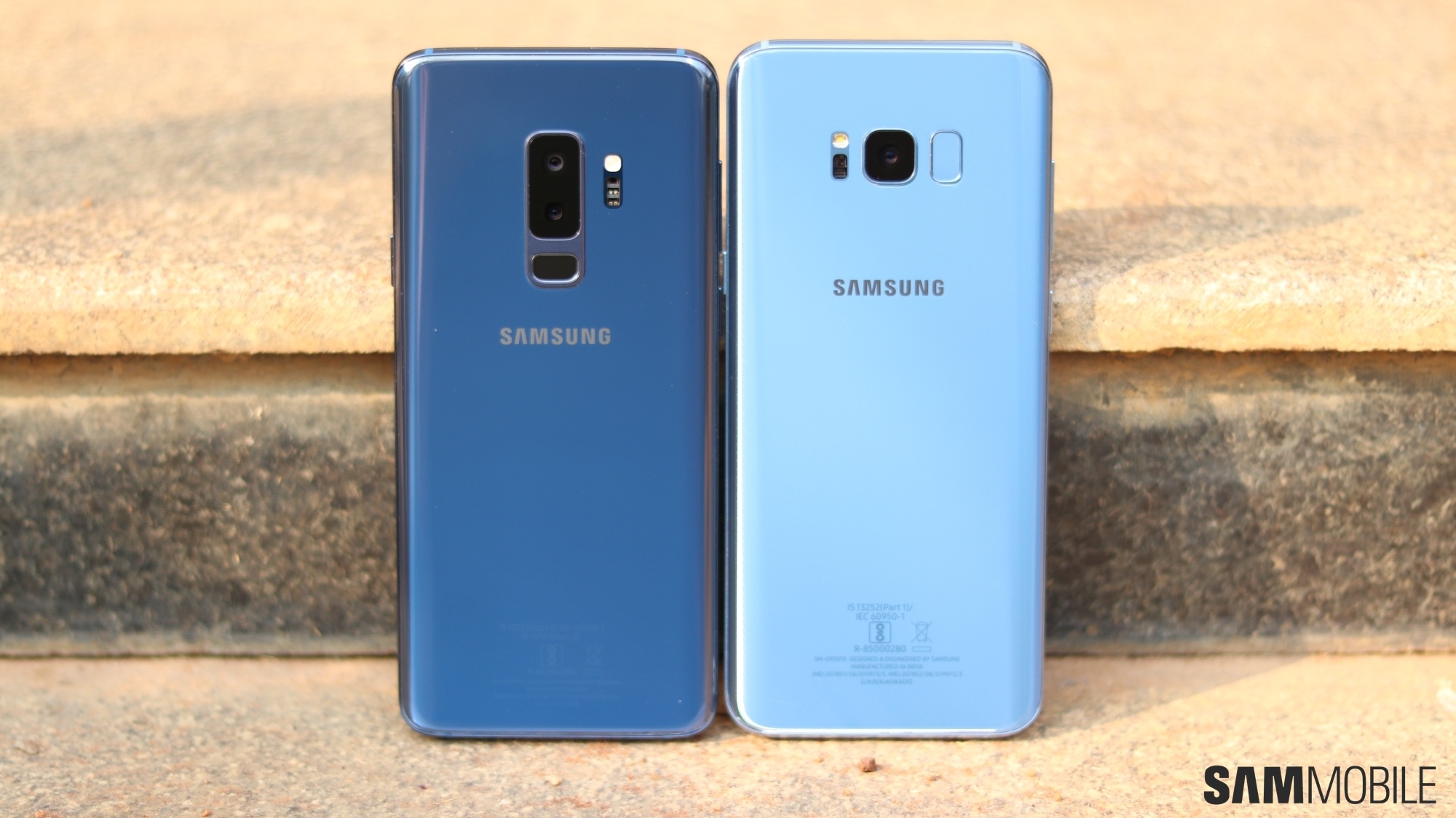
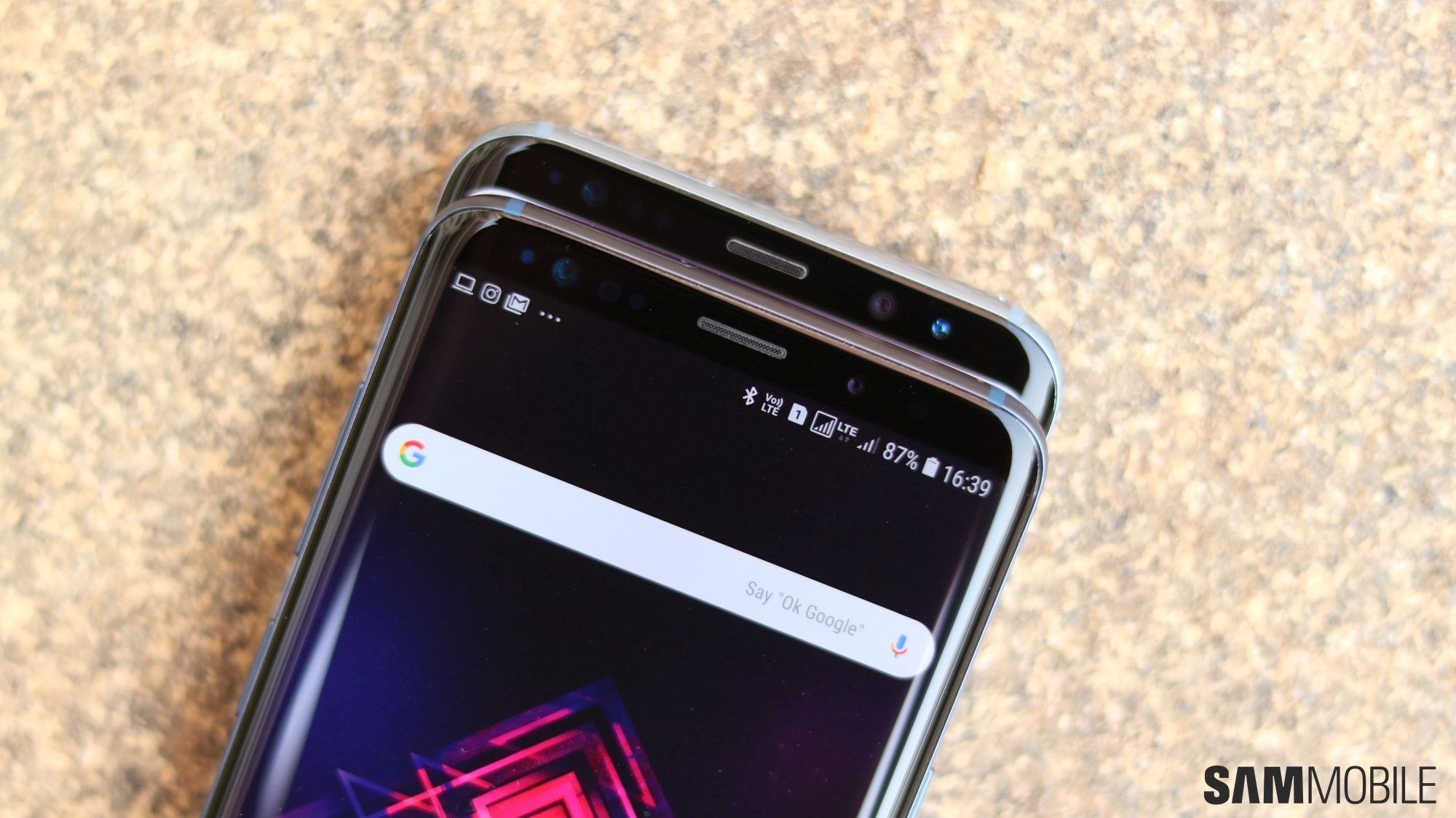
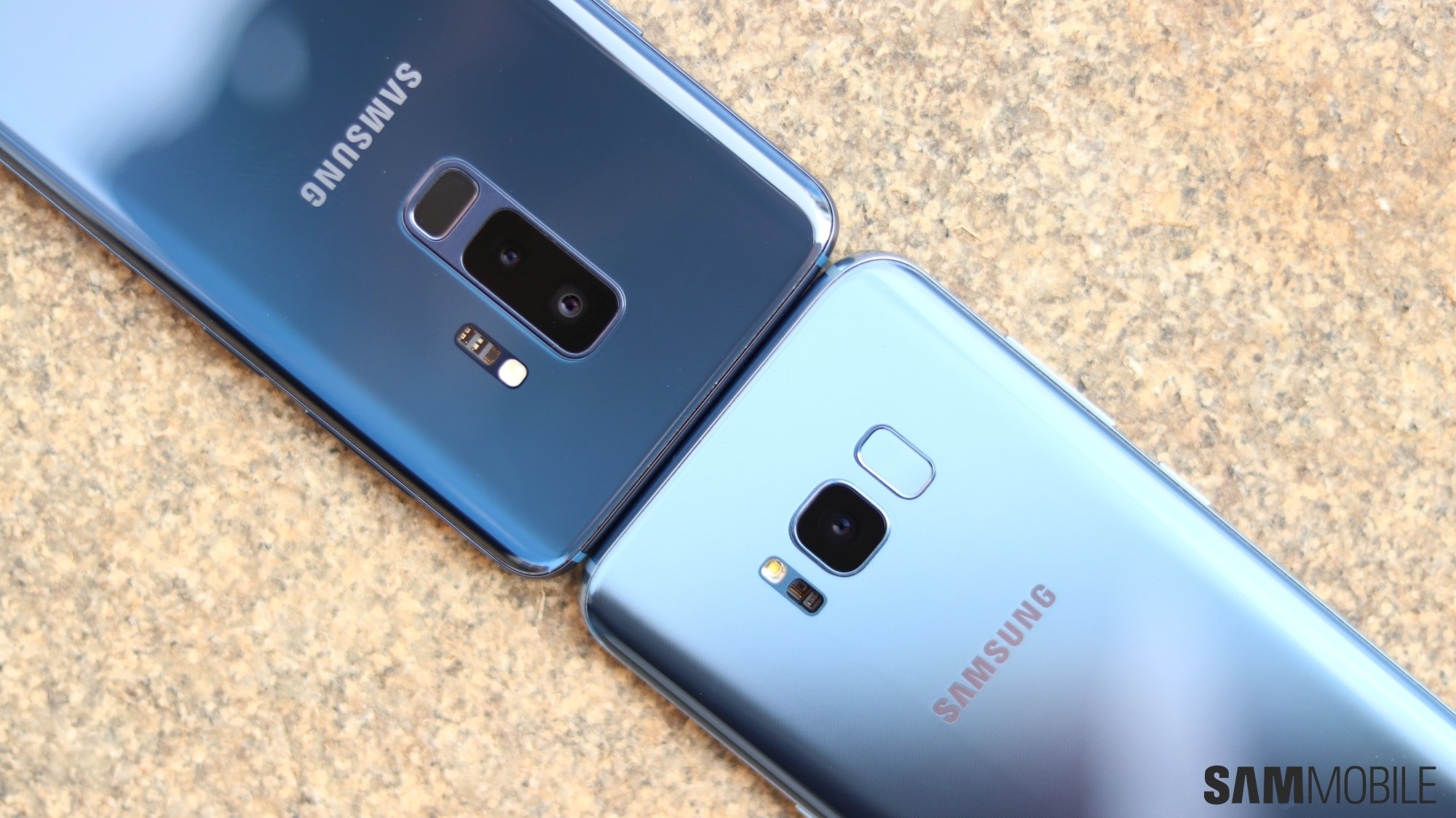
Galaxy S9+ vs Galaxy S8+: Side-by-side pictures

The Galaxy S8 and Galaxy S8+ were the most beautiful smartphones on the market when they launched back in early 2017. The Infinity display made for immersive viewing without any notch getting in the way, and nothing came close to the overall design of Samsung’s then-new flagships. With the Galaxy S9 and Galaxy S9+, Samsung took the excellent design of the S8 and S8+ and sat down to refine it in ways both major and minor.

Galaxy S9+ vs Galaxy S8+: What’s different, and what isn’t?

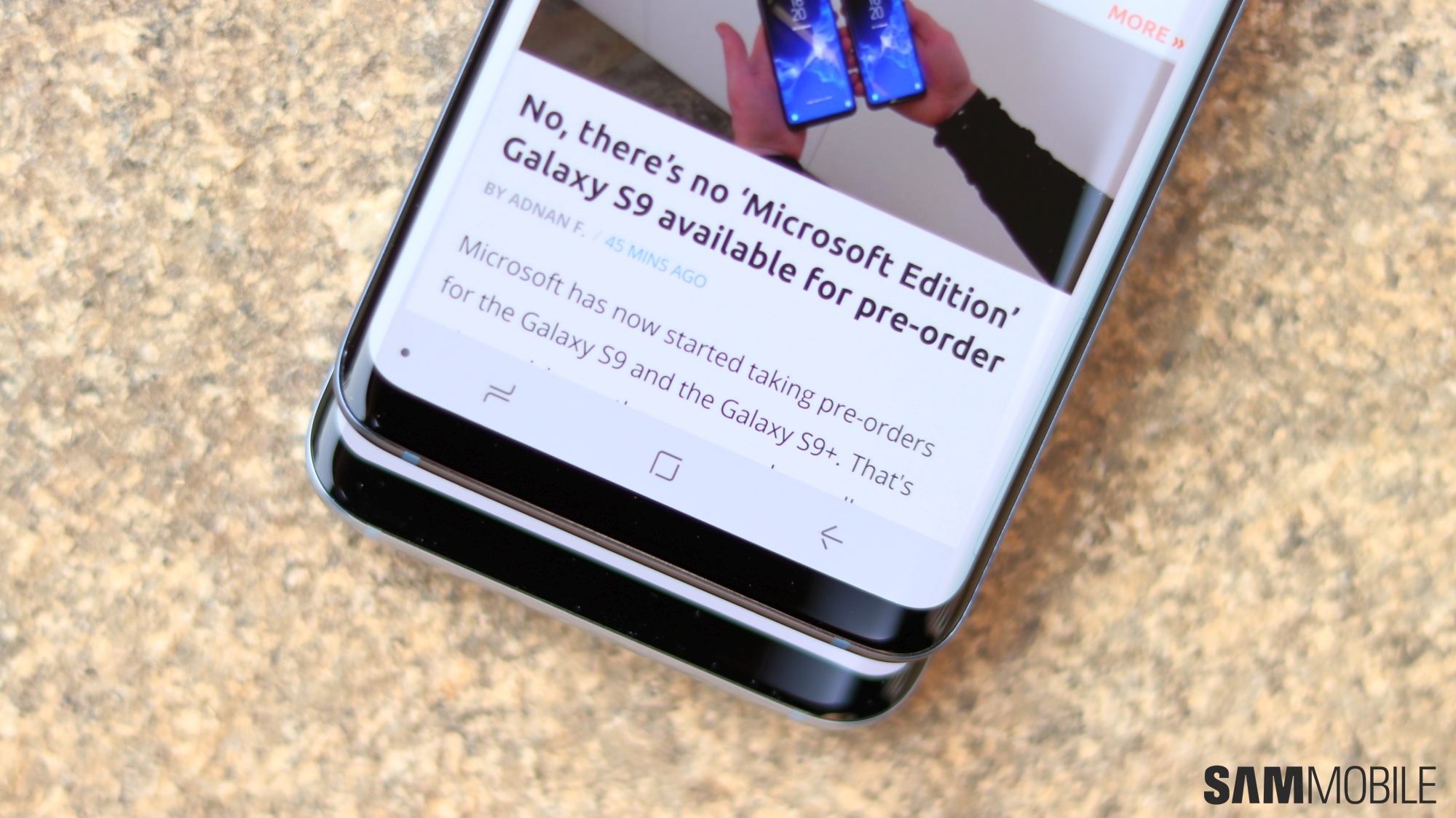
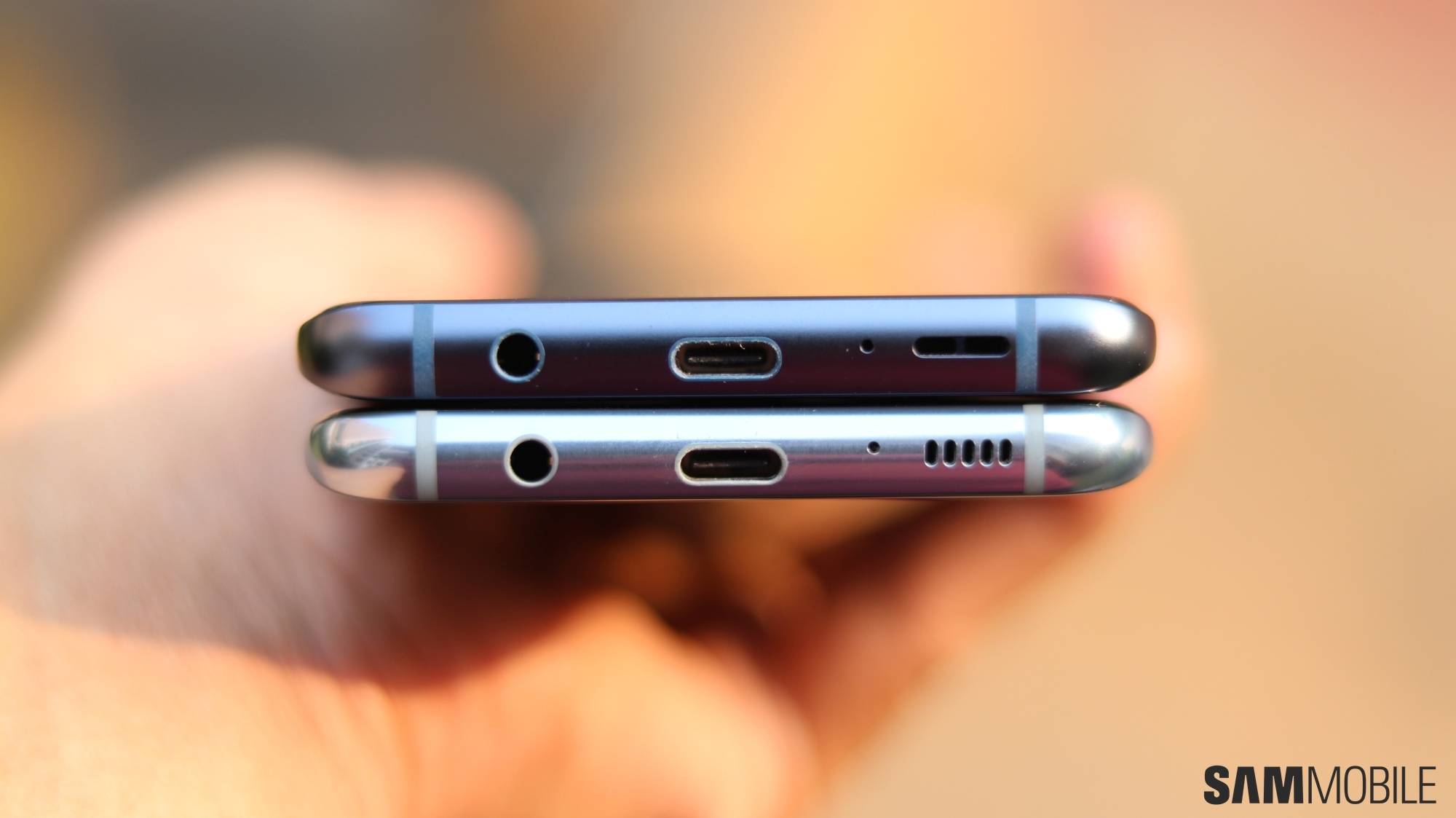
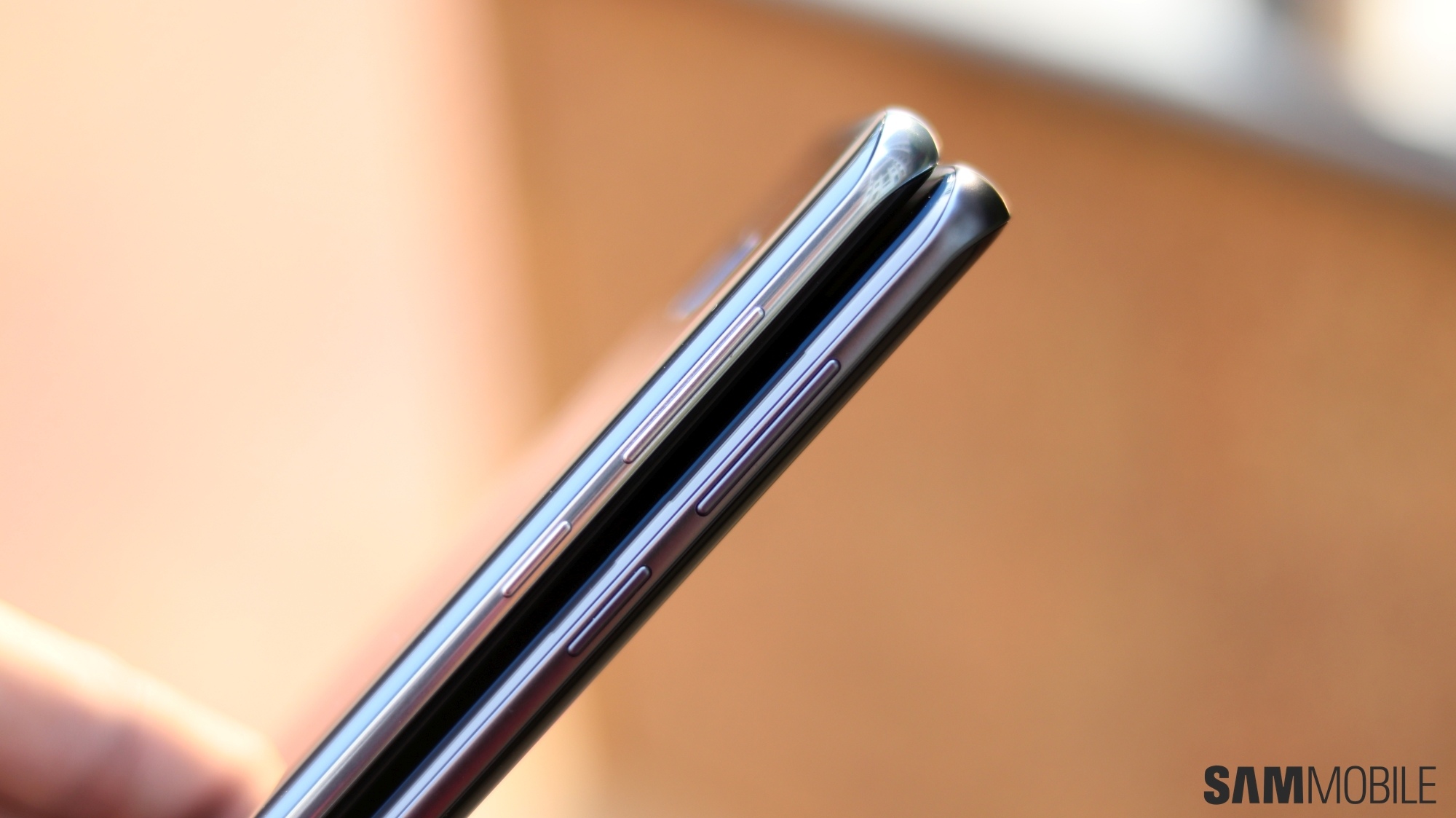
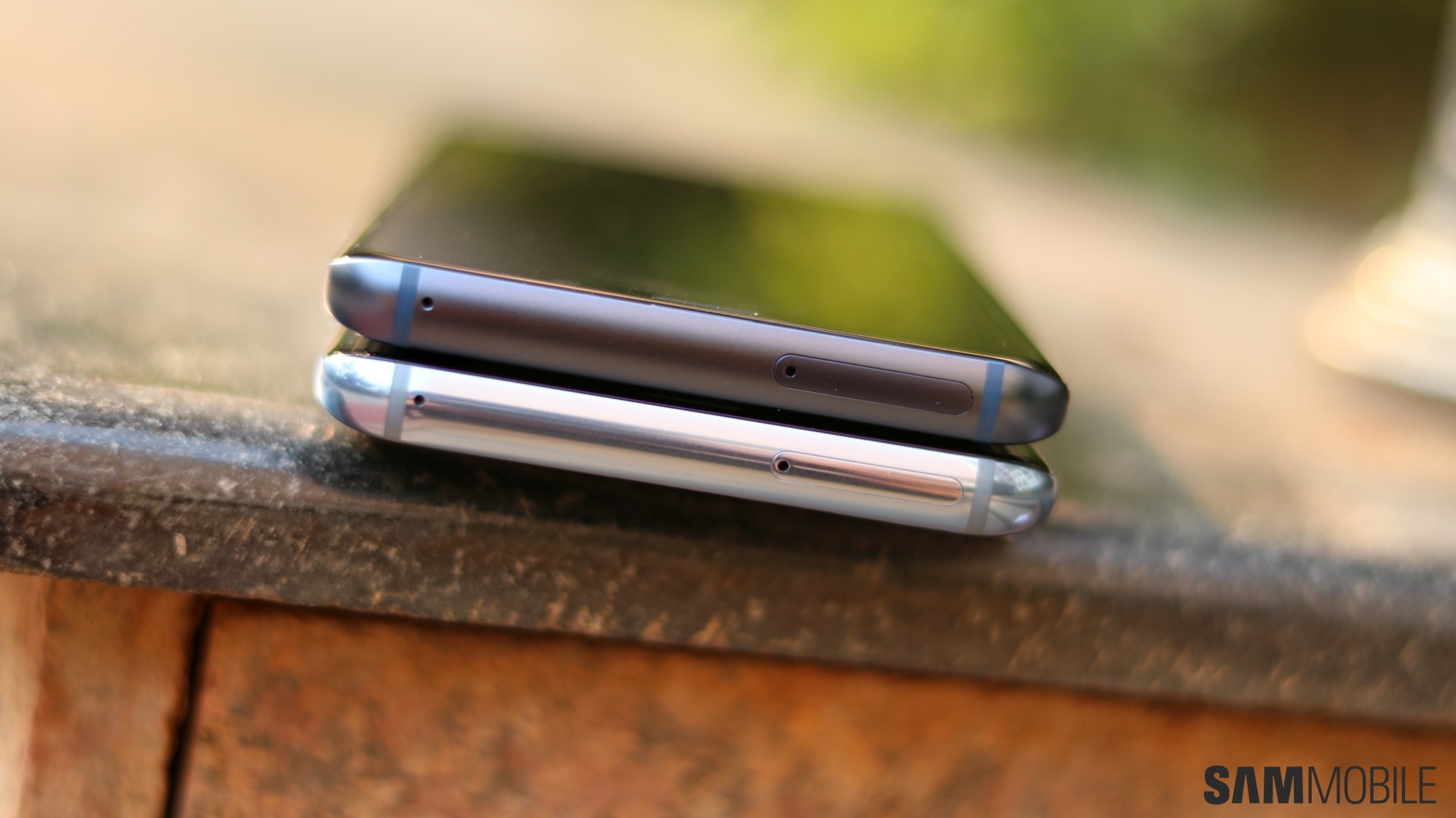
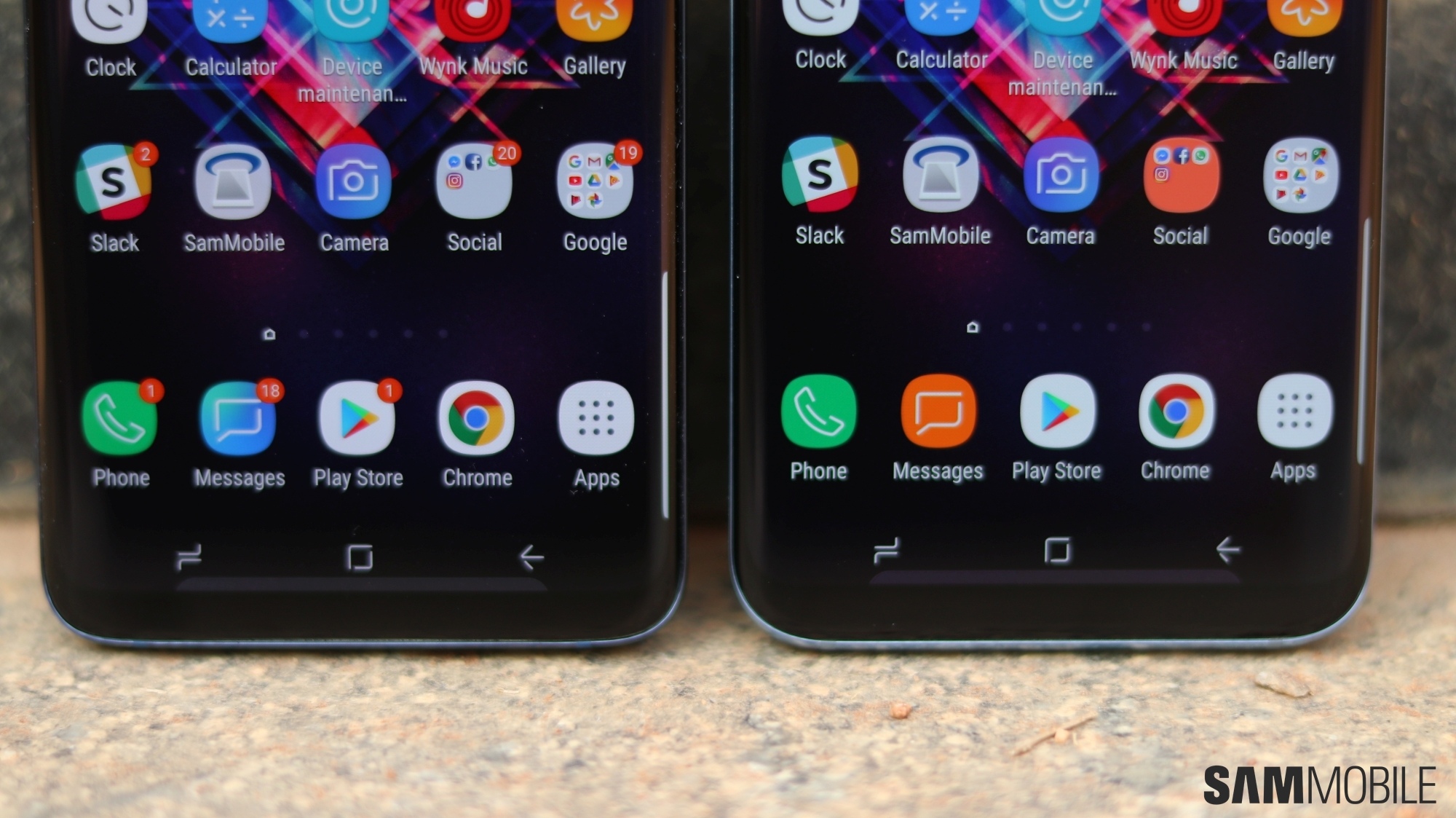
The major changes include a re-positioned fingerprint sensor (which may or may not be placed a tad too low for you) and a dual camera for the Galaxy S9+. Most of the minor ones don’t always stand out, but they include narrower bezels, a darker top bezel, a matte finish for the metal edges, and a speaker grill that is now one big cutout and not multiple small holes. In fact, some of these changes are so hard to spot – or don’t make much of a difference – that you would need to see a Galaxy S9 and Galaxy S8 side by side to notice, so we decided to put the S9+ and S8+ next to each other and take a couple of pictures that you can check out.

Take a look at the pictures below, and let us know your thoughts in the comments. Of course, there are also numerous new features and improvements under the hood, and our Galaxy S9 review will give you a good idea of how well they work together when taken as a whole. Lucky enough to have received your Galaxy S9 or Galaxy S9+ already? Tell us how you’re liking your phone so far, especially if you upgraded from the Galaxy S8 or S8+ instead of an older or less costly smartphone (Samsung or otherwise).

The post Galaxy S9+ vs Galaxy S8+: Side-by-side pictures appeared first on SamMobile.


from SamMobile http://ift.tt/2GkfWbc
via IFTTT

No, there’s no ‘Microsoft Edition’ Galaxy S9 available for pre-order

Microsoft has now started taking pre-orders for the Galaxy S9 and the Galaxy S9+. That’s not surprising as the company does sell Android-powered smartphones through its stores. It sold the Galaxy S8 and Galaxy Note 8 last year as well and they were initially perceived as being “Microsoft Edition” units of the flagships until Samsung set the record straight. So while Microsoft is now taking pre-orders for unlocked units of the Galaxy S9 and Galaxy S9+, bear in mind that there’s no Microsoft Edition of this year’s flagship as well.

Microsoft Edition Galaxy S9

There’s nothing different about the units that Microsoft is selling through its stores. They don’t even come with apps like Cortana and Microsoft Launcher pre-loaded. However, when this Microsoft Edition label started being widely reported last year, Samsung issued a statement saying “There is not a ‘Microsoft Edition’ brand of any Samsung Galaxy products.”

It’s not like there’s a need for a Microsoft Edition of Samsung’s flagship smartphones anyway. Some of Microsoft’s Office apps already come preloaded on these handsets and apps like Cortana and Microsoft Launcher are readily available for download from the Google Play Store for any and all Android smartphones.

With the company opening pre-orders for the Galaxy S9 and Galaxy S9+ on its website, some outlets have reported that this is the Microsoft Edition Galaxy S9 when it really isn’t. Even Microsoft itself isn’t using the term on the listing page for the device.

Microsoft will ship the pre-orders by March 16 and that’s also when the handset will be available in its stores. It’s charging $719.99 and $839.99 for the Galaxy S9 and Galaxy S9+, the same as Samsung. It’s the Snapdragon 845-powered model that comes unlocked out of the box.

The only difference will be that when customers purchase the Galaxy S9 from a Microsoft store, employees at its brick and mortar locations will then offer assistance on how to get Microsoft apps and make the most out of them on Samsung’s latest flagship.

The post No, there’s no ‘Microsoft Edition’ Galaxy S9 available for pre-order appeared first on SamMobile.


from SamMobile http://ift.tt/2pckgkP
via IFTTT

جميع الحقوق محفوظة لمدونة الغريب 2013