الاثنين، 25 مارس 2019

Galaxy A70 official with 32MP cameras, super fast charging, and more

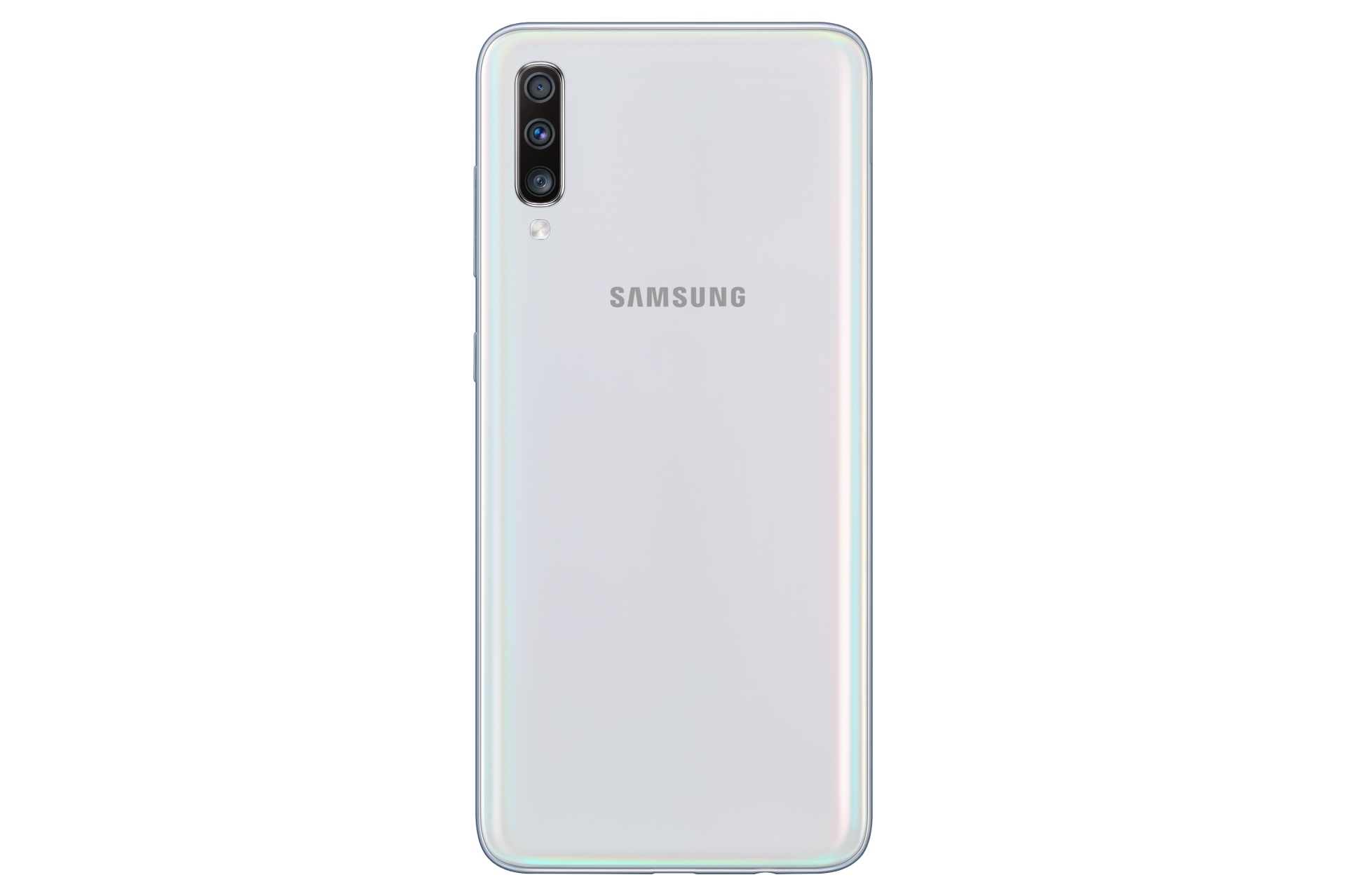
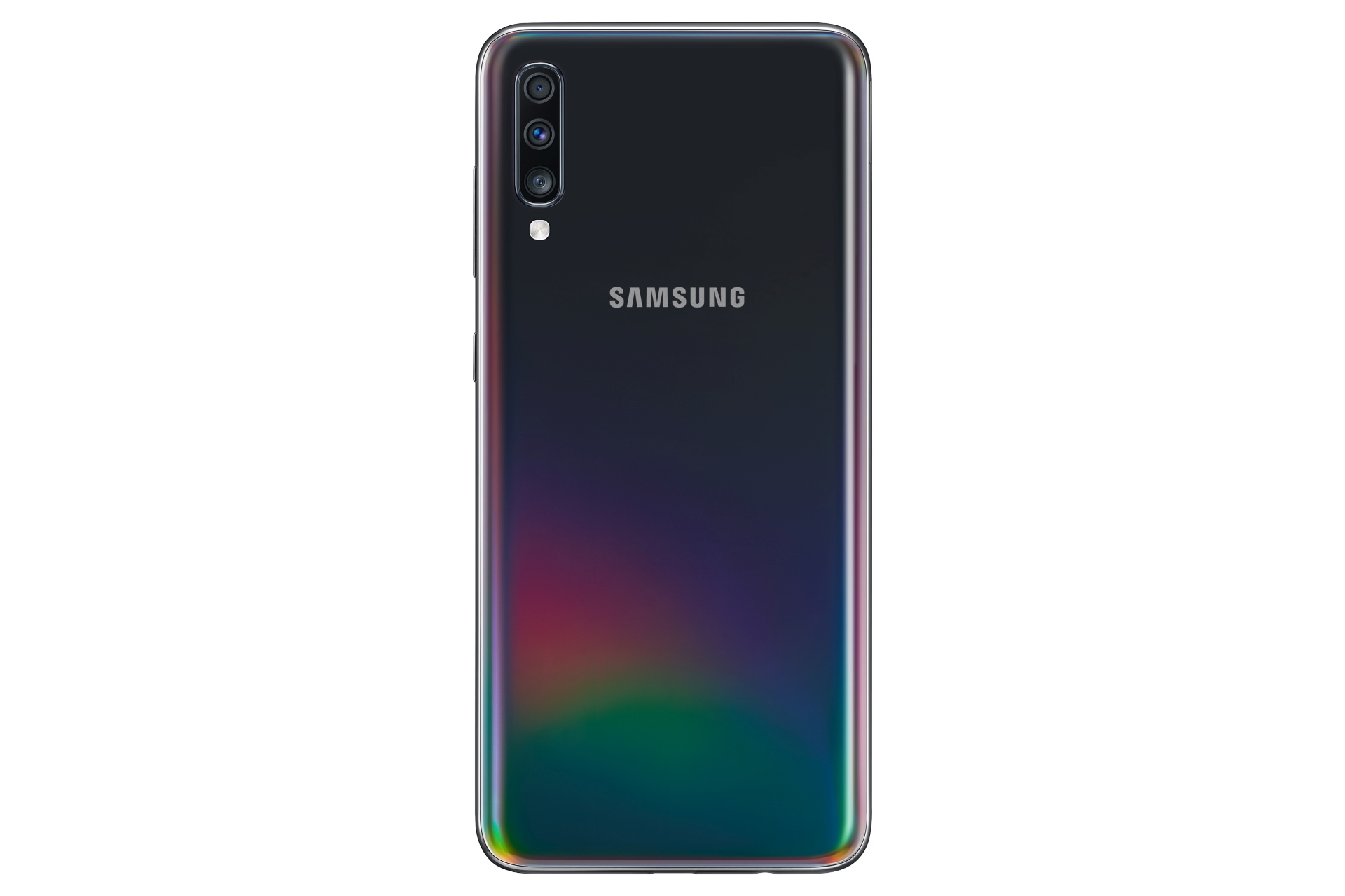
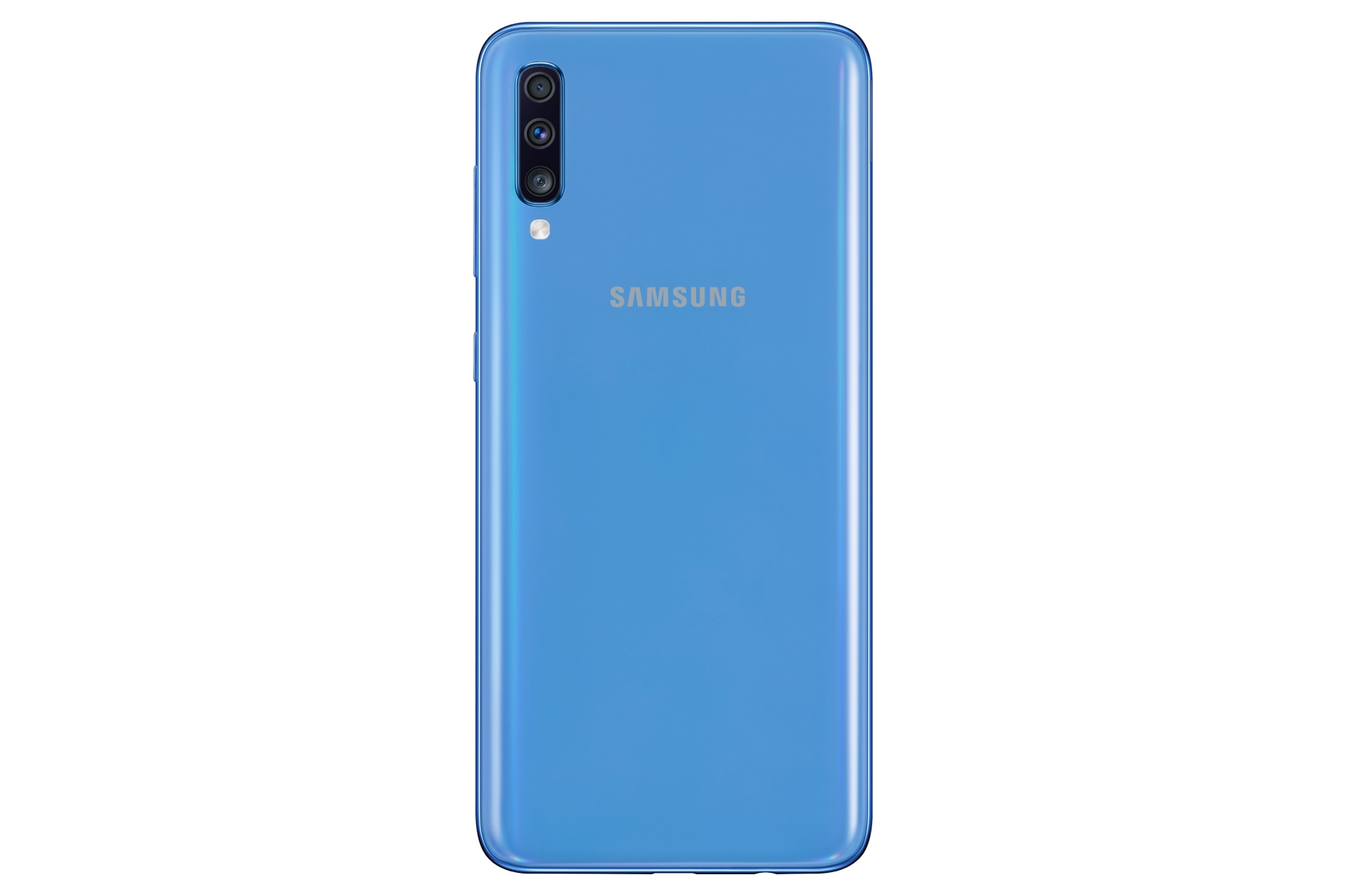
Samsung has made another Galaxy A series phone official today. The company has announced the Galaxy A70, the fourth new smartphone in Samsung’s 2019 Galaxy A lineup. The Galaxy A70 boasts a number of interesting features, including super fast charging speeds similar to the Galaxy S10 5G, 32MP rear and front cameras, and an in-display fingerprint sensor.

Galaxy A70 features include big display, big battery, super fast charging
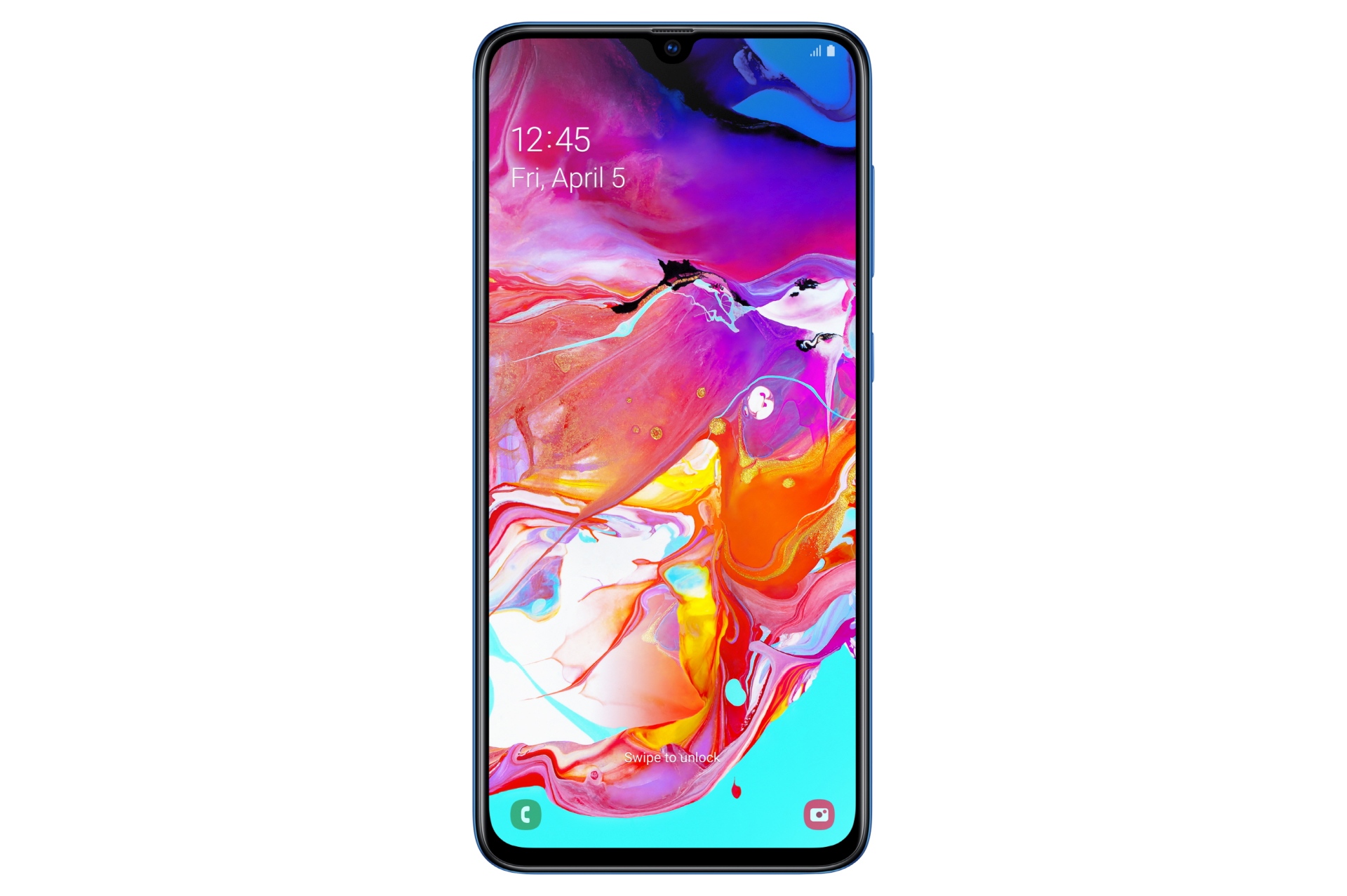
The Galaxy A70 comes with a 6.7-inch Full HD+ Super AMOLED Infinity-U display with has a fingerprint sensor underneath (this is likely to be the same optical sensor that we saw on the Galaxy A50). That waterdrop notch holds a 32MP front-facing camera, the highest yet of any Galaxy smartphone. The primary rear camera is a 32MP sensor as well and is accompanied by an 8MP ultra-wide camera and a 5MP depth-sensing camera.

The Galaxy A70 is powered by an octa-core processor and comes with 6GB and 8GB RAM options and 128GB of internal storage. Keeping the lights on is a 4,500 mAh battery that supports 25 watt fast charging. That’s the same as the Galaxy S10 5G’s and faster than the non-5G Galaxy S10’s, and one can hope 25W charging will become standard across all new devices Samsung launches by the end of this year.
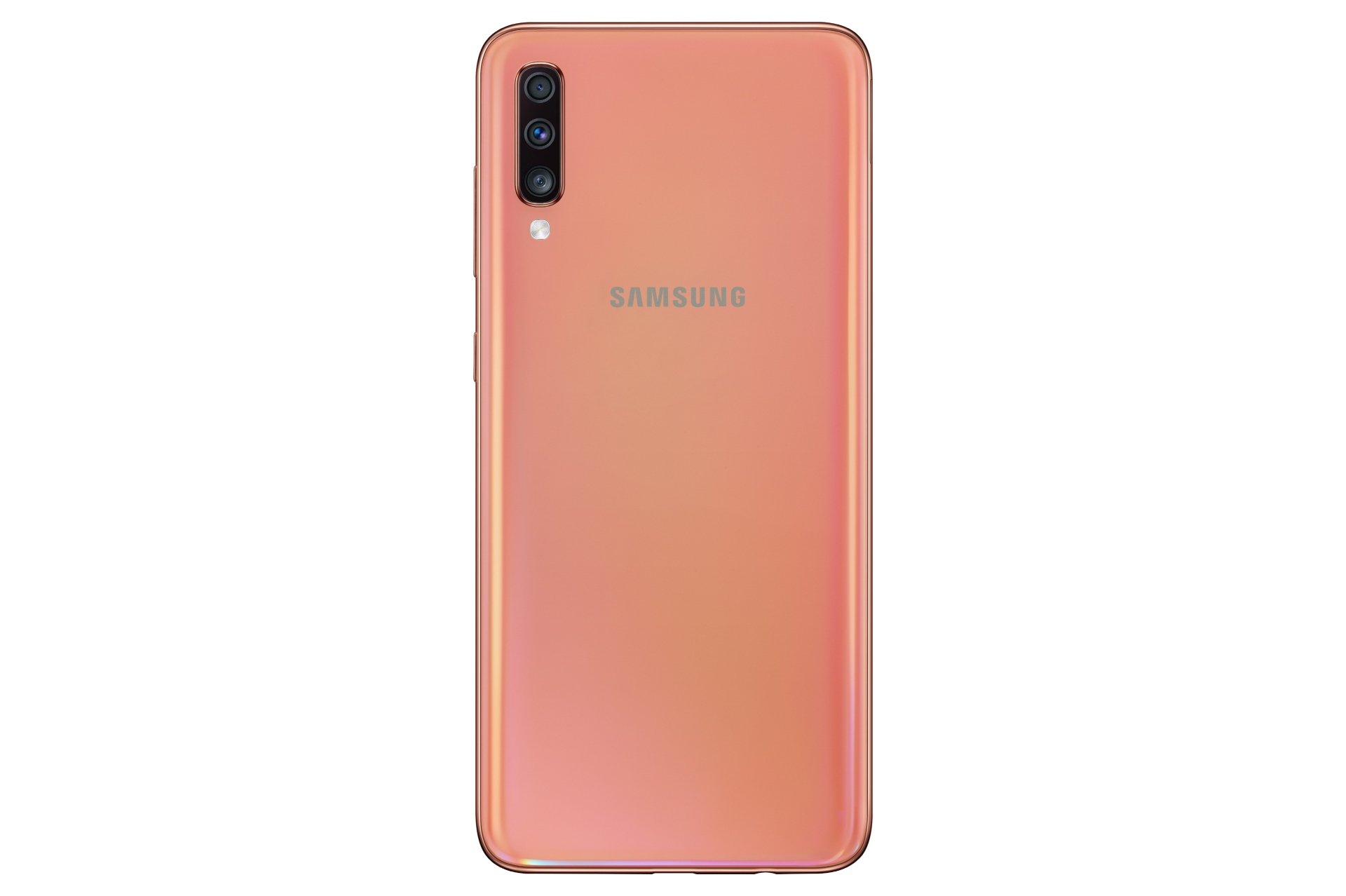
On the software front, you get Android Pie out of the box with One UI 1.1. One UI 1.1 brings features such as Digital Wellbeing and full Bixby Voice support even without a physical Bixby key. When it comes to design, the Galaxy A70 is made of what Samsung calls 3D Glasstic, which is plastic that gives off a glass-like premium vibe. Gradient colors are part of the package, with blue, black, coral, and white color options (check our Galaxy A50 review to see how stunning these can be).

More to be revealed at Galaxy A event on April 10 asdasdasd

The Galaxy A70 is a good example of how the Korean giant is filling its mid-range smartphones with interesting new features before those features make their way to the flagships, and it could be a very good proposition if Samsung prices it right. The company isn’t giving us pricing or release date information yet, but it promises to reveal more at its Galaxy A event on April 10.
The post Galaxy A70 official with 32MP cameras, super fast charging, and more appeared first on SamMobile.


from SamMobile https://ift.tt/2HU0eGK
via IFTTT
New Apple TV app will arrive for Samsung smart TVs first

Samsung announced back in January that its 2018 and 2019 smart TVs are getting iTunes and AirPlay 2 support. The iTunes Movies and TV Shows app will be available exclusively for Samsung’s smart TVs in over 100 countries initially. That’s before it arrives on smart TVs from other manufacturers.

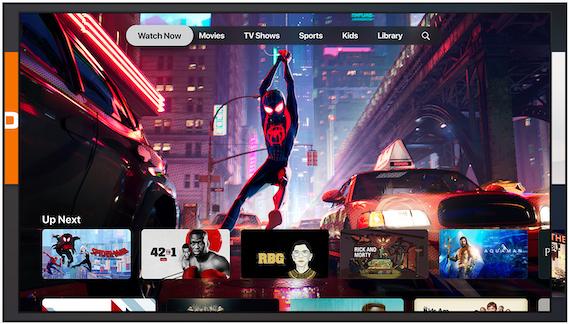
Apple today unveiled a new Apple TV app. It brings together the different ways and services that people watch TV today. The company will be releasing the app across a variety of platforms and Samsung smart TVs will be the first to get it.

Samsung smart TVs to get the new Apple TV app first

The new Apple TV app will be out in May 2019 for Apple’s own devices first. It allows users to discover and watch shows, movies, news, sports and more in one app. This app will be available across iOS and macOS devices in addition to streaming devices and smart TVs.

It will also enable them to view content from their cable, satellite or online TV streaming subscriptions from within the app. With Apple TV channels, subscribers will be able to pay for the premium networks they want, such as HBO, Showtime and Starz. Last but not least, the new Apple TV app will allow users to purchase or rent iTunes movies and TV shows.

As previously mentioned, this app will first be released for iOS devices and the Apple TV set-top box in May. The company will then release it for Samsung smart TVs “this spring.” It hasn’t been confirmed, though, if both the 2018 and 2019 models will get it or just the latest Samsung smart TV models. Other supported platforms include Sony, Vizio and LG TVs in addition to Amazon Fire TV and Roku streaming devices. They will all get the app “in the future.”

The post New Apple TV app will arrive for Samsung smart TVs first appeared first on SamMobile.


from SamMobile https://ift.tt/2UarwyY
via IFTTT

PSA: Galaxy S10 in-display fingerprint reader gets better with time

New technology always takes some time to become as good as something that has existed for a while. That’s certainly the case for the in-display fingerprint sensor found on the Galaxy S10 and Galaxy S10+. As we noted in our review, the ultrasonic fingerprint reader on the Galaxy S10+ is not as consistently accurate and fast as the capacitive sensors we have seen on Galaxy phones for years.

Not everyone will take a liking to the in-display sensor right off the bat and will take longer than others to get used to it, and we just wanted to tell you that if you are still cribbing about the fingerprint reader on your S10 or S10+, it really does get better with time.

It’s all about muscle memory…

With no physical boundaries to guide you, the biggest obstacle for in-display fingerprint sensors was always going to be the part where you have to get used to placing your finger in the right position. And that’s the case with the Galaxy S10 and S10+ as well. It’s easy to tap the right part of the display if you’re looking at it, but it can take a couple of weeks for muscle memory to be created for the action if you tend to try to unlock your S10 or S10+ without looking. And believe us when we say you eventually do start putting your finger on the right spot even without glancing at the phone first.

… and a little about AI as well?

Here at SamMobile, we have also noticed that the Galaxy S10 and S10+ get faster at fingerprint recognition with time. This is probably some AI trickery that allows the phone to take less time to recognize your fingerprint after repeated usage, and whatever it is, it certainly helps. Accuracy has also improved, with fewer instances of the phone telling us to keep our finger on the screen a bit longer or telling us it found no match, although the latter was never really too big of a problem in the first place.

Galaxy S10 fingerprint recognition will improve further with updates

And things will improve with updates, as Samsung has confirmed, so if you are finding yourself cursing the fingerprint reader on your Galaxy S10 or S10+ even after a week or two of using the phone, just hang in there. The same goes for those who are still holding off on purchasing an S10 or S10+ because of the reports about fingerprint recognition not being that great.

Of course, if you aren’t willing to put in the effort just so Samsung can advertise the in-display fingerprint technology on its latest flagships, you can opt for the Galaxy S10e, which is an excellent compact flagship with an extremely fast side-mounted fingerprint sensor.

  • Model: SM-G973F
  • Dimensions: 70.4 x 149.9 x 7.8mm
  • Display: 6.1"(157.5mm) Super AMOLED
  • CPU: Exynos 9820 Octa
  • Camera: 12 MP.CMOS F2.4 45° Telephoto & 12MP F1.5 77° & 16MP F2.2 123° Ultra-wide

The post PSA: Galaxy S10 in-display fingerprint reader gets better with time appeared first on SamMobile.


from SamMobile https://ift.tt/2U85z3t
via IFTTT

SamMobile Daily Recap, March 25, 2019: Galaxy Note FE Pie update, Galaxy Fold pre-orders, and more

Galaxy S10 camera light ring doubles as a battery indicator with this app

If you have picked up Samsung’s new flagship you will be familiar with the Galaxy S10 camera light ring. It lights up when facial recognition is actively detecting your face or when you switch from the rear to the front camera.

It also lights up to work as a countdown timer for selfies. Samsung doesn’t allow the light to be used for anything else and you certainly can’t use it for notifications. However, there’s a third-party app that lets you use the camera light ring as a battery indicator.

Put the Galaxy S10 camera light ring to good use

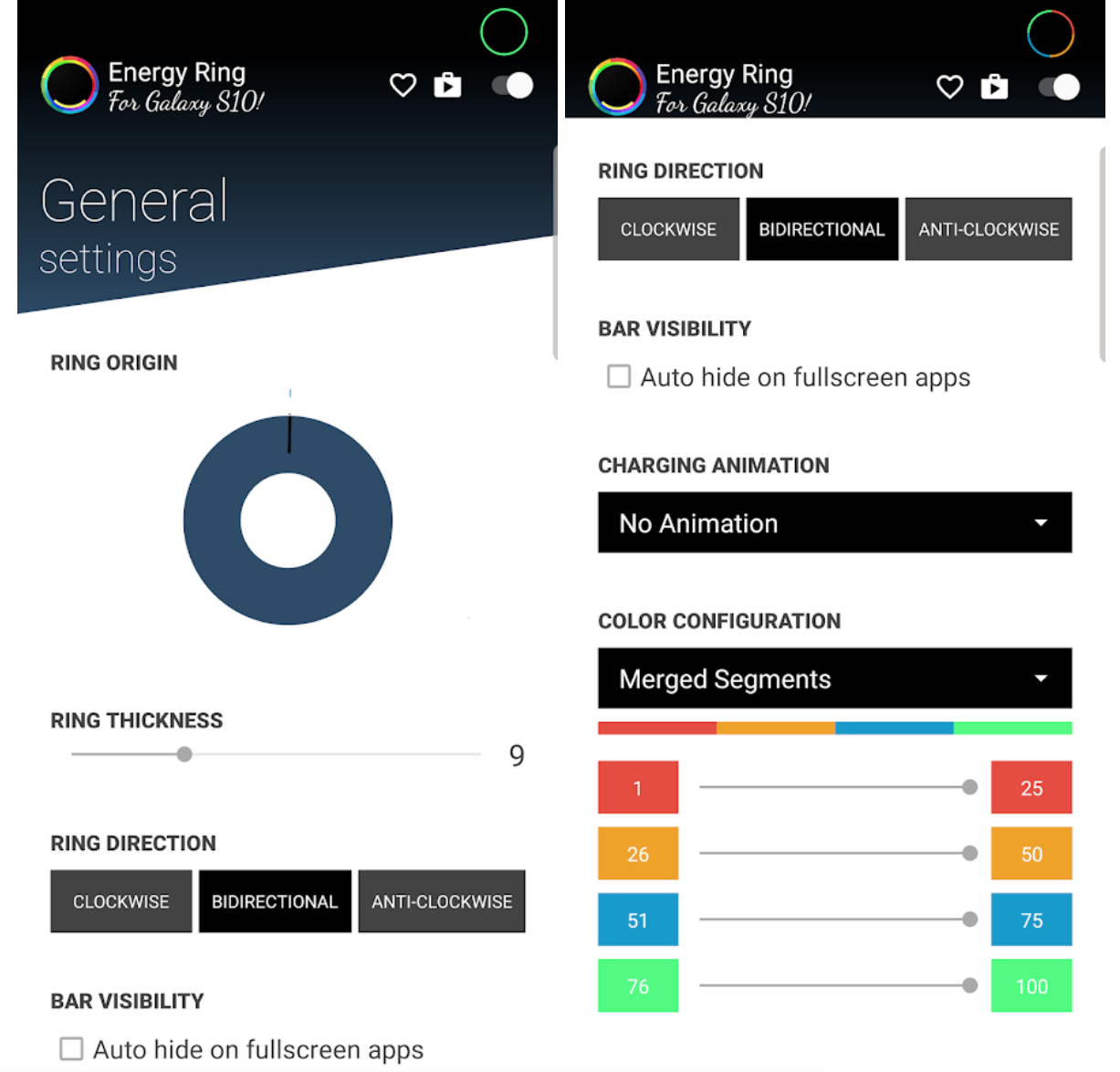
The app is called Energy Ring and it’s developed by IJP, As AndroidPolice notes, this developer has considerable experience with making custom battery indicators for Android. Energy Bar is one of its other creations and it supports the curved screens on Samsung’s flagships as well.

Energy Ring offers you a variety of customization options such as ring direction, color, thickness and even different colors for each 25 percent increment. There’s also a toggle to disable the indicator on fullscreen apps so that it doesn’t get in the way when you’re watching videos or playing games. This app is currently optimized for the Galaxy S10 and the Galaxy 10e only. The developer is working to add support for the Galaxy S10+ as it has a larger, dual camera cutout.

It’s available as a free download from the Google Play Store. The app does require notification access but that’s required for the battery indicator to function. Its own battery use is said to be negligible. There are some in-app purchases for additional functionality but the free version will be good enough for most users.

One can only hope that Samsung allows the Galaxy S10 camera light ring to be used for other functionality. It would be particularly useful as a notification light. The company can enable that with a software update but there’s nothing to suggest at the moment that it will.

Galaxy S10 camera light ring

The post Galaxy S10 camera light ring doubles as a battery indicator with this app appeared first on SamMobile.


from SamMobile https://ift.tt/2JFfw4t
via IFTTT

Five best Antivirus apps for Android devices

Android malware is a major problem and it shows no signs of slowing down. It’s an effective tool for hackers that are looking to steal personal information. With billions of Android devices being used across the globe, even if they are able to target a small percentage of those users, they can cause a lot of damage. On the bright side, Android users need not worry because along with the growth of security threats, effective mobile antivirus software has become more capable as well. Here are the five best antivirus apps for Android devices.

Mobile Security & Antivirus by ESET

eset antivirus logo

More than 600,000 users have ESET Mobile Security installed on their phones and tablets. This software also provides real-time safety to its users. After installation, it will scan your device for any malware. It also has anti-phishing features which will alert you to any malicious websites. ESET provides a detailed security report which will tell you if it finds anything suspicious. It also has two additional features which can be very useful. These are Remote Lock and Remote Siren which provides extra security for your smartphone. There are two versions, the base version is free whereas the premium one offers a few more features with scheduled scanning and automatic updates for the virus database.

AVG

avg antivirus logo

AVG has proven to be an effective solution for computers and has now extended its services to smartphones and tablets. One can opt to install the basic version without needing to register and paying a fee. After the installation is finished, the software will immediately scan your device to check for any malicious codes or software. It also provides real-time safety of your device blocking malicious code even before it can execute.

AVG is one of the best tools to use as an antivirus. Not only does it provide a resourceful antivirus scanner and protects your privacy but it also has the ability to locate your device when it has been stolen or lost. Furthermore, its scanning feature extends to text messages and websites you visit. These features are available in the enhanced and upgraded version of the AVG.

Comodo Mobile Security

comodo antivirus logo

Comodo mobile security is a newer antivirus solution but just as effective as the established ones. Not only can it scan and detect potential threats, it also categorizes them as: dangerous, pending and secure items. This provides additional context to the users as they decide on the next steps. The user can also choose to schedule scans at a later time.

Avast Mobile Security

Avast antivirus logo

Avast mobile security is independent of Google Play and lends a variety of security tools including the main antivirus feature, a web shield feature used for scanning, the ability to update users regarding malicious URLs and a privacy advisor feature alongside enhanced security options for anti-theft. They also allow their users to perform tasks including clearing the history, locking their phones or activating sirens on their device through SMS.

Avast mobile security has been primarily designed to scan existing and future applications for any malware. The antivirus has the feature of real-time protection of your device. This was also considered as one of the best antivirus software in 2018.

Anti-virus Dr. Web Light

drweb antivirus logo

The company Dr. Web has released an Android version of its famous anti-virus. This app helps protect your phones from viruses and malware. It has many features which include reliable protection, a high-speed scan, flexible configuration, a user-friendly interface, minimum system load, and protection from unwanted incoming calls and SMS. This application is also available for free to download on the Google Play Store.

Classifying only one winner among these effective antivirus tools is a tedious task. Each software has its own features and services to offer. As you can see, there are a number of low cost/no-cost options for Android antivirus protection. The picks mentioned above are all good, so make sure you don’t take any risks with your Android and take a look at one of them. But no matter what you choose among these five, you are ensured of your privacy and security. Protecting information is a critical issue nowadays and these anti-virus applications have clearly made significant contributions in making lives easier and safer for Android users.

The post Five best Antivirus apps for Android devices appeared first on SamMobile.


from SamMobile https://ift.tt/2TXOlGW
via IFTTT

New Galaxy A50 update promises better fingerprint recognition

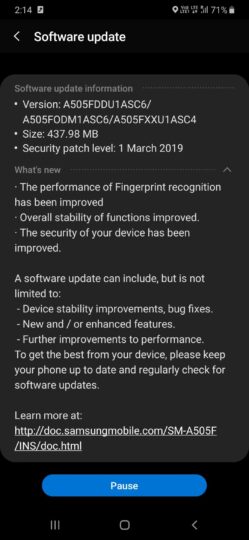
The Galaxy A50, which was launched in India last month, is receiving its second software update. Barely a couple of weeks after it received the March 2019 security patch, the device is getting another update that contains improvements for its in-display fingerprint sensor.

The new update comes with software version A505FDDU1ASC6 and weighs 437.98 MB over the air. And apart from improvements to fingerprint recognition, the update doesn’t bring anything much, only generic improvements in stability and security of the device.

Galaxy A50’s in-display fingerprint sensor has been really finicky

The Galaxy A50 is arguably the most value-for-money Samsung mid-ranger yet. It ticks almost every box at its price point. However, as we pointed out in our Galaxy A50 review, its in-display optical fingerprint sensor is far from accurate. It hardly recognizes a fingerprint in one tap. Samsung certainly was taking a note of it and has released a new update for better fingerprint recognition. Early results look promising, though we will have to wait and see if it starts running into errors again after a while.

To update your Galaxy A50, head over to the Software update section of the Settings app and tap on Download updates manually. Note that it is a server side update and may take some time before it reaches your device. You should get a notification when the update is available for you.

Have you received the update yet in your country? Let us know by dropping a comment below.

The post New Galaxy A50 update promises better fingerprint recognition appeared first on SamMobile.


from SamMobile https://ift.tt/2TxA6Dn
via IFTTT

جميع الحقوق محفوظة لمدونة الغريب 2013