السبت، 14 مارس 2020

Samsung Galaxy M21 specs and renders appear ahead of launch

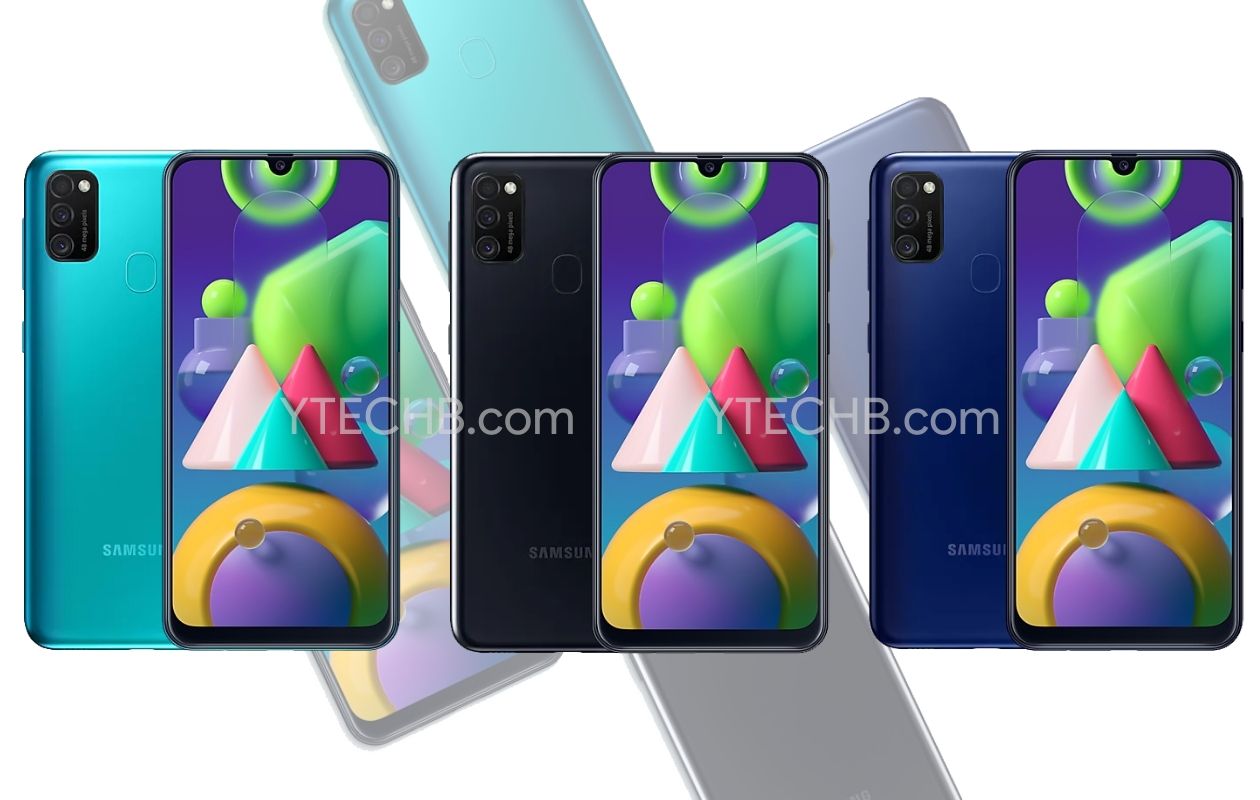
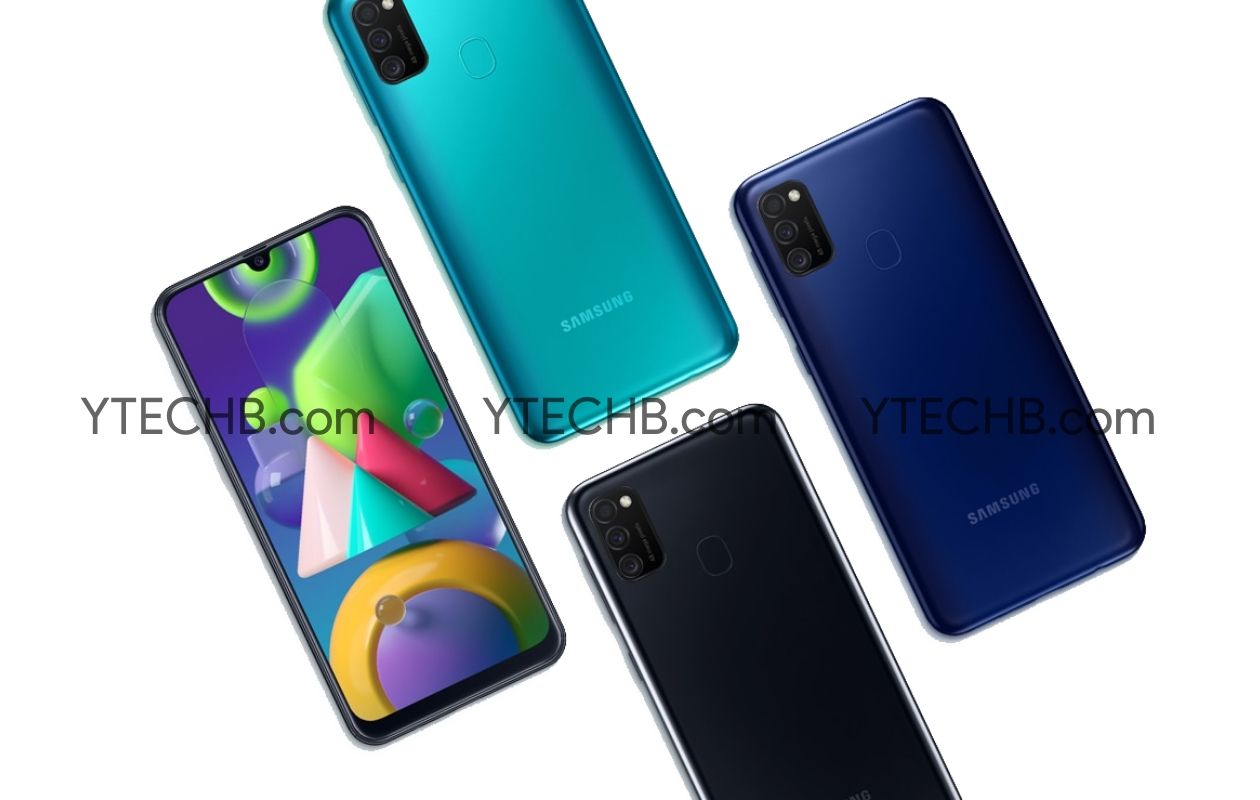
Samsung is expected to launch a new entry-level smartphone next week. We have been hearing about the Galaxy M21 for the past couple of months and now merely a couple of days before the device’s launch, we get to see the full Galaxy M21 specs and press renders.

As many of you will be aware, Samsung’s Galaxy M series is largely limited to the Indian market. However, there is a possibility that the handset could be released in select European markets as well.

Samsung Galaxy M21 specs and renders

As expected, the Galaxy M21 specs include an Exynos 9611 processor with 4/6GB RAM and 64/128GB storage variants with microSD expansion supported. It’s also going to be equipped with a 48-megapixel primary camera with an 8-megapixel ultra-wide and 5-megapixel depth camera completing the setup. There’s also going to be a 20-megapixel selfie camera in the Infinity-U display’s notch.

Speaking of the display, the Galaxy M21 will have a 6.4-inch Super AMOLED Infinity-U Full HD+ resolution display. Other specs include a chunky 6,000mAh battery with 15W fast charging support. The device is going to run Android 10 out of the box with One UI 2.0 on top. As we can see in these press renders of the device, a fingerprint sensor is present at the back.

We have exclusively revealed the color options for the Galaxy M21 previously. The handset will be available for purchase in Blue, Black and Sky Blue colors. The Galaxy M series is primarily sold online and it’s already known that it’s going to be available through Amazon India starting March 16.
The post Samsung Galaxy M21 specs and renders appear ahead of launch appeared first on SamMobile.


from SamMobile https://ift.tt/3cV7WgR
via IFTTT
Weekly SamMobile Quiz 17 – Come test your Samsung knowledge!

Consider yourself a superfan of Samsung? Take our quiz and see how many answers you can get right! This is a fun activity that we do with our readers every week to test their knowledge of our favorite company. The quiz has a mix of easy and difficult questions that most fans should be able to answer without turning to Google.

We intend to make a new quiz for you every weekend so we hope that you’ll participate and learn a thing or two about Samsung in the process! Don’t forget to share the results of the quiz with your friends and see if you can outscore them. A little competition never hurt anybody!

Remember, if the quiz isn’t loading properly, please access the non-AMP version of this webpage.

The post Weekly SamMobile Quiz 17 – Come test your Samsung knowledge! appeared first on SamMobile.


from SamMobile https://ift.tt/38OKcHN
via IFTTT

Galaxy A7 (2018) starts getting Android 10 update in India

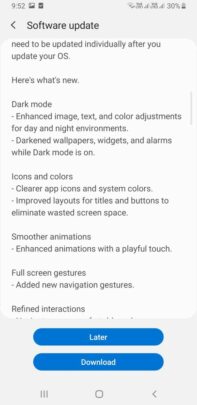
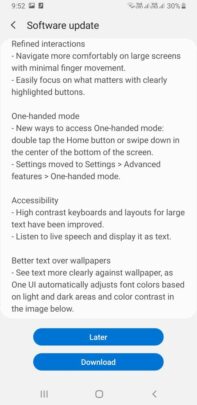
We had reported two months ago that Samsung is testing Android 10 for the Galaxy A7 (2018). Now, the company has started rolling out the One UI 2.0 update to the Galaxy A7 (2018) in India. The South Korean smartphone maker recently released the Android 10 update to a bunch of Galaxy A series and Galaxy M series devices.

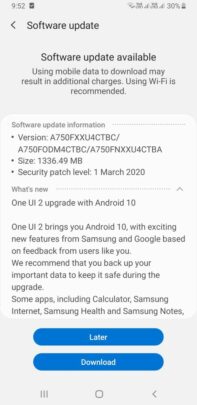
The Android 10 update for the Galaxy A7 (2018) carries firmware version A750FXXU4CTBC and has a file size of 1336.49MB. The software update also brings One UI 2.0 and the March 2020 Android security patch to the smartphone. The update brings the usual Android 10 and One UI 2.0 features to the Galaxy A7 (2018), including improved Dark Mode, tweaked UI and icons, and more.

The official changelog mentions an improved Dark Mode with enhanced colors, darkened wallpapers, darkened alarms, and darkened widgets. There are tweaked icons and colors, smoother animations, Google’s UI navigation gestures, a new way to access the one-handed mode, and better text over bright or dark wallpapers. Stock apps have received new features and UI improvements.

You should be able to see a pop-up notification for the Android 10 update on your Galaxy A7 (2018). If you haven’t received the notification, you can check for the update manually by navigating to Settings » Software update » Download and install on your phone.

Samsung Galaxy A7 (2018) Android 10 Update Samsung Galaxy A7 (2018) Android 10 Update Samsung Galaxy A7 (2018) Android 10 Update

The post Galaxy A7 (2018) starts getting Android 10 update in India appeared first on SamMobile.


from SamMobile https://ift.tt/2Qh4SBX
via IFTTT

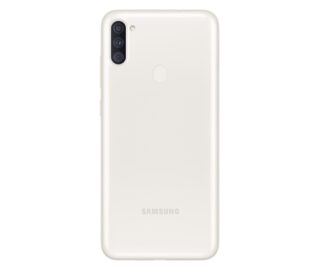
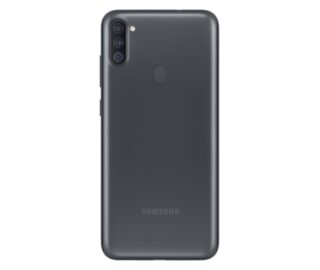
Samsung quietly unveils Galaxy A11 with LCD screen, 4000mAh battery

The first signs of the existence of the Galaxy A11 started showing up four months ago when Samsung filed for the trademark for the phone. Later, the phone appeared in some benchmarks and certification documents. Now, Samsung has quietly listed the Galaxy A11 on its website, without any press release or announcement to go with.

The Galaxy A11 is the entry-level smartphone in the Galaxy A series, and it features a 6.4-inch HD+ LCD screen with an 8MP punch-hole selfie camera on the top-left. On the rear, the smartphone has a triple-camera setup, consisting of a 13MP (F1.8, AF) primary camera, a 5MP (F2.2) ultrawide camera, and a 2MP (F2.4) depth sensor. There’s also an LED flash and a capacitive fingerprint reader on the rear.

The new phone runs Android 10 and comes equipped with a 1.8GHz octa-core processor (could be Snapdragon 625/626). There is 2GB/3GB of RAM, 32GB internal storage, and a microSD card slot. It is powered by a 4000mAh battery and supports 15W Adaptive Fast Charging. The device has a dual-SIM card slot, LTE, GPS, Wi-Fi, Bluetooth, and a USB Type-C port.

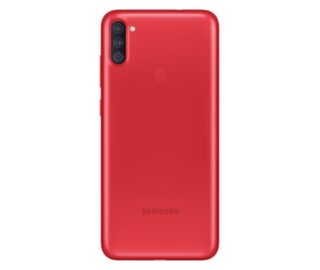
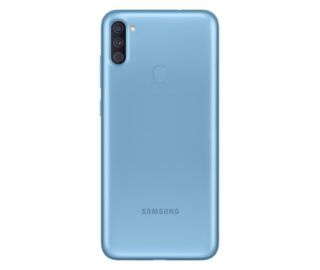
The Galaxy A11’s body is made using plastic, and the device comes in four color options: black, blue, red, and white. There is currently no information on the pricing or the availability of the Galaxy A11, but we will keep you posted on it. Samsung could also launch the Galaxy M11 soon.

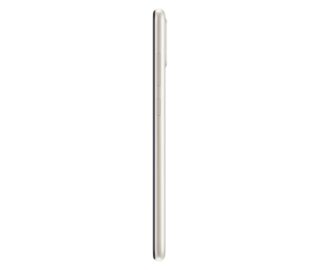
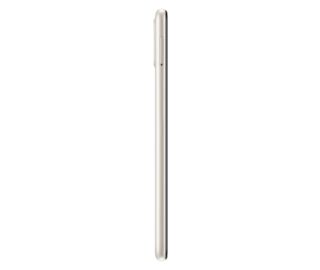
Samsung Galaxy A11 Red Samsung Galaxy A11 Blue Samsung Galaxy A11 White Samsung Galaxy A11 Black Samsung Galaxy A11 White Right Samsung Galaxy A11 White Left

The post Samsung quietly unveils Galaxy A11 with LCD screen, 4000mAh battery appeared first on SamMobile.


from SamMobile https://ift.tt/2xAqcvz
via IFTTT

الجمعة، 13 مارس 2020

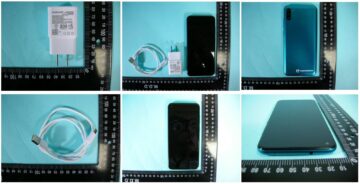
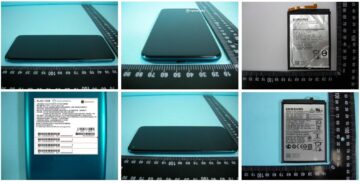
First Galaxy M11 live photos emerge from the NCC along with more specs

The Galaxy M11 has been exposed in real-life photos by Taiwan’s regulatory body, the NCC. They reaffirm that the Galaxy M11 will sport an Infinity-O display with a corner cutout. They also give us a closer look at the back panel, which seemingly sports a fingerprint scanner and a vertically-aligned triple main camera setup accompanied by an LED flash.

One of the photos pulled from the NCC application for the Galaxy M11 reveals the phone’s internal battery. It appears to have a capacity of 4,900-5,000mAh. Another image suggests that the device will ship with a 15W fast charger in the box.

The model tested by the NCC appears to have 32GB of storage. Last year’s Galaxy M10 came with 16GB or 32GB of built-in memory, so it looks like Samsung may have bumped up the storage on the Galaxy M11 base model to 32GB.

The Galaxy M11 has already been approved by the Wi-Fi Alliance, and it’s been listed on Google’s Play Store console as one of the many devices that are compatible with the service. It’s already been 14 months since the Galaxy M10 was introduced, and it’s about time for a direct sequel to make an official appearance. Exactly when it will happen remains to be seen, but we’ll keep you up to speed with more details on pricing and availability as soon as we’ll have them.

The post First Galaxy M11 live photos emerge from the NCC along with more specs appeared first on SamMobile.


from SamMobile https://ift.tt/2WcwiNc
via IFTTT

Rumored Samsung wireless gamepad is already available for purchase

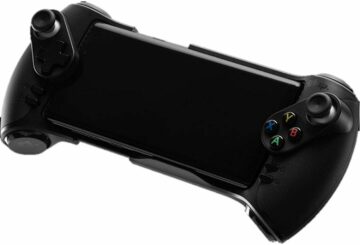
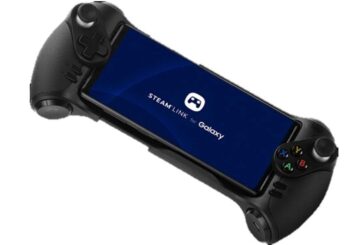
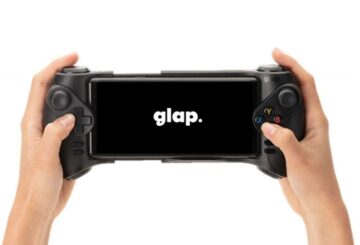
An old patent application is floating around the so-called mobile blogosphere, depicting a Samsung wireless gamepad for Galaxy smartphones. Nobody seems to know when the final product will come out, and that’s most likely because the device was already quietly introduced many months ago, right around the time the Galaxy Note 10 series was unveiled to the world.

The product is called the Glap Gaming Pad and it’s available for purchase in the USA via Amazon for $119, where dozens of reviews speak mostly-positively about it. It’s also listed on Samsung UK’s portal along with a price tag of £79.00, but stocks have been depleted and visitors can sign up for stock alerts. Current availability and prices will differ more or less from one region and retailer to another.

The Glap Gaming Pad is essentially an ODM Samsung device

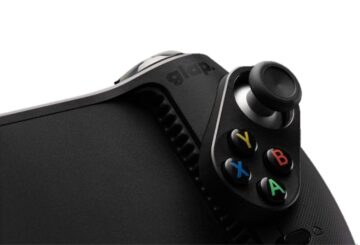
The only interesting fact that was set in stone by the aforementioned patent applications is that the documents were filed by Samsung, even though the device is not quite labeled as such on retailer channels like Amazon. It’s simply called the Glap Gaming Pad on the official South Korean Glap website, but make no mistake, it was created for Samsung according to the company’s strict specifications.

One of the gamepad’s best features is that it can slide open to accommodate larger devices if necessary, making it compatible with a wide variety of Samsung phones. It connects to your device via Bluetooth 4.1, works with Steam Link, and has its own 340mAh battery which should offer up to 10 hours of gaming time. It doesn’t have internal speakers but it was designed to naturally amplify sounds, i.e., it has some sort of internal resonating chamber.

In closing, if you’re in the market for a wireless controller for your mobile games, you don’t actually have to wait any longer in order to buy a solution imagined by Samsung. It’s already here.

The post Rumored Samsung wireless gamepad is already available for purchase appeared first on SamMobile.


from SamMobile https://ift.tt/2W9QUWb
via IFTTT

Galaxy S20, Galaxy Z Flip get cross-platform copy/paste with Windows

Samsung announced an expansion of its strategic partnership with Microsoft last year. This brought the Link to Windows feature to the Galaxy Note 10, which is essentially a rebrand of Microsoft’s Your Phone Companion app. As such, this functionality could easily be used on older Samsung devices.

It became evident last month that the two companies will further expand functionality between their platforms, particularly after the launch of Samsung’s new premium phones. So it’s not surprising to see that the Galaxy S20 and Galaxy Z Flip have now picked up support for cross-platform copy and paste with Windows PCs.

Link to Windows functionality expanded for Samsung phones

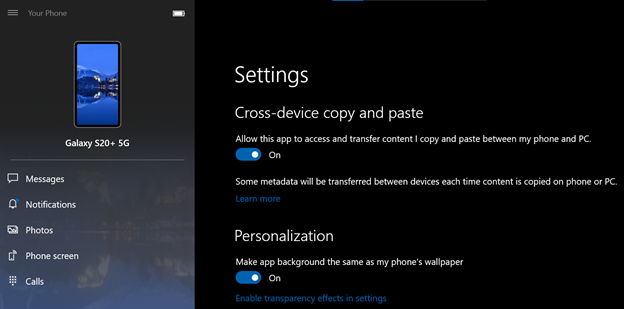
This functionality has been made possible by the latest Windows 10 Insider Preview Build 19582.1001. It allows users to seamlessly copy/paste text and images from their Galaxy S20, Galaxy S20+, Galaxy S20 Ultra or Galaxy Z Flip to their Windows PC, and vice versa. On Windows, they can just use the right-click menu or the familiar ctrl + c and ctrl + v keyboard shortcuts for copy and paste respectively.

When doing the same from the phone, just tap and hold to select the relevant option from the dialog that appears. This cross-platform copy/paste functionality only works with the devices mentioned above and with a PC running the Windows 10 April 2018 update or higher. This feature can be enabled from the settings menu in Your Phone and Microsoft says that it’s only available in select markets, though it hasn’t revealed which.

It has also been made possible to send and receive Rich Communication Service (RCS) text messages from your Windows PC when it’s connected to a compatible Samsung device. This will only work if your mobile carrier supports RCS. Those who have RCS enabled on their device will use Samsung’s native Messaging app as the default app on their phone. Notifications will sync across the devices so if you view a message on PC, it will be marked as read on the phone as well. A Galaxy S20 series handset is required for this feature in addition to a Windows PC running the April 2018 update or higher.

This update also allows you to turn off your phone’s screen to save battery life when it’s mirroring to your Windows PC. This feature will work on all Samsung devices that support Link to Windows. The black screen will be displayed on the phone once the mirroring session starts and will dismiss itself when the session ends. The black screen can also be manually dismissed at any time by pressing the power button, swiping the phone’s screen, Activating Bixby and disabling the black screen option from the Settings page.

The post Galaxy S20, Galaxy Z Flip get cross-platform copy/paste with Windows appeared first on SamMobile.


from SamMobile https://ift.tt/2QdhJFj
via IFTTT

جميع الحقوق محفوظة لمدونة الغريب 2013