الأربعاء، 3 فبراير 2021

Samsung Notes update brings better folder organization, more features

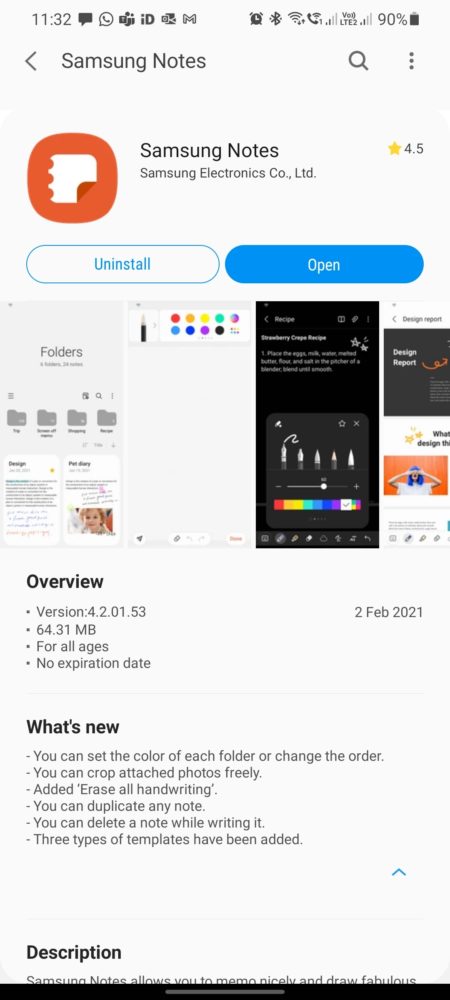
Samsung Notes is a great all-in-one note-taking app that is compatible with various Galaxy smartphones and tablets. The company regularly updates the Samsung Notes app to bring users more features and improved performance. The app has now received a new update, which brings better folder organization and new templates.

The latest Samsung Notes app update has version number 4.2.01.53, and you can download it from the Galaxy Store or the Play Store. It brings the ability to change folder colors for both existing and new folders, helping in keeping better track of things. Samsung has also made it easier to reorder folders, and you can do that by tapping on Manage Folders from the side menu and dragging and dropping folders in the right order.

The new version of Samsung Notes also lets you duplicate any existing notes and delete all the drawings from a note. The app now allows image cropping, and you can do that by clicking on the image and choosing the toolbar’s crop function. Other new features include three new canvas templates and the ability to delete a note while editing it.

Samsung Galaxy Note Update v4.2.01.53 Changelog

The post Samsung Notes update brings better folder organization, more features appeared first on SamMobile.


from SamMobile https://ift.tt/3cJ13RV
via IFTTT

Samsung starts rolling out Android 11 with One UI 3.0 to Galaxy A51

Samsung’s amazing run with Android 11 updates continues with its best-selling smartphone of 2020. The company has now started rolling out the Android 11-based One UI 3.0 update to the Galaxy A51. The new update brings all the bells and whistles of Android 11 along with One UI 3.0 features to the mid-range smartphone.

The latest software update for the Galaxy A51, which bears firmware version A515FXXU4DUB1, is rolling out in Russia right now. The update also brings the February 2021 security patch to the smartphone. The update brings one-time permissions, a dedicated conversations section in the notifications area, chat bubbles, and a dedicated media playback widget to the phone.

Other One UI 3.0 features such as improved UI design, better color scheme and icons, improved stock apps, repositioned volume controls, improved Dark Mode, better Digital Wellbeing and Parental Control features, and more lockscreen widgets and AoD customizations are a part of the update as well. You can see all the improvements that One UI 3.0 brings in this article.

If you are a Galaxy A51 user in Russia, watch out for the software update notification that might soon pop up on your phone. You can manually search for the new software update by navigating to Settings » Software update and tapping on Download and install. Alternatively, you can also download the entire firmware from our firmware section and flash it manually.

One UI 3.0 was expected to be rolled out to the Galaxy A51 in H1 2021, but it is here sooner. Samsung had released the One UI 3.0 beta update to the Galaxy A51 5G one month ago. The company could soon roll out the Android 11 update to the Galaxy A51 in more markets.

The post Samsung starts rolling out Android 11 with One UI 3.0 to Galaxy A51 appeared first on SamMobile.


from SamMobile https://ift.tt/3rkEAyO
via IFTTT

Here’s how Samsung has improved selfies and portraits with Galaxy S21

Samsung had introduced various new camera features and hardware last year with the Galaxy S20 series, but there were some issues and inconsistencies. This year, the company has focused a lot more on refining the camera features with the Galaxy S21 series. The company has improved the autofocus performance as well as the quality of selfies and portrait shots.

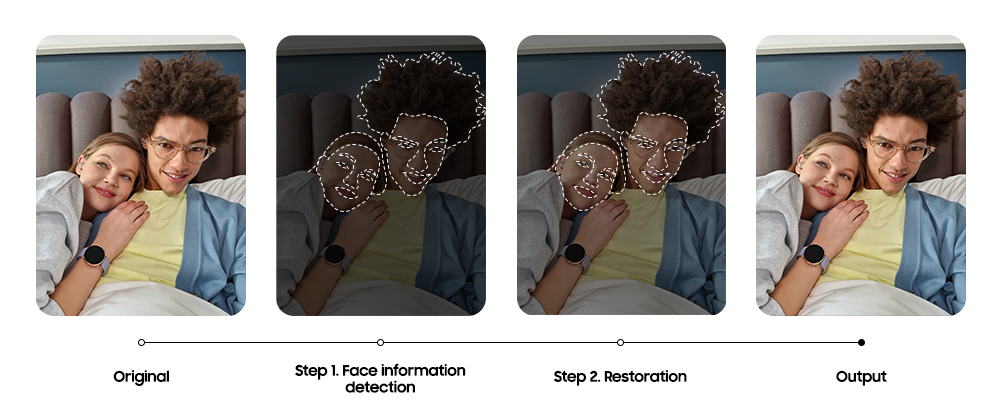
The company is trying to offer more natural looking selfies with the Galaxy S21, Galaxy S21+, and the Galaxy S21 Ultra. When a selfie is snapped, the Galaxy S21 detects faces in the frame, segments them from the rest of the scene, and then applies natural enhancements to faces. Natural enhancements include bringing out details in the eyes, hair, and facial features, and adjusting the white balance for a natural skin tone. Samsung has also included support for third-party camera apps so that its AI-powered camera features work across supported apps.

Samsung Galaxy S21 Enhanced Selfies

Samsung also talked about its updated portrait mode, which now also works in combination with Night Mode, during the launch of the Galaxy S21. The new phones can even capture portrait shots of pets, thanks to improved AI capabilities. If you didn’t notice, we would like to point out that Samsung has also renamed the Live Focus mode to Portrait mode.

Samsung Galaxy S21 Updated Portrait Mode Subject Recognition Separation

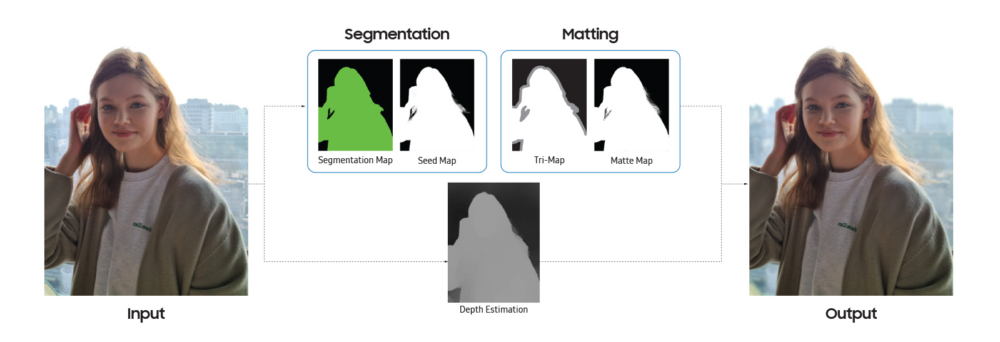
When a portrait shot is captured using the Galaxy S21, the phone first starts with recognizing humans and pets in the scene and creates a segmentation map to separate each individual in the image. The segmentation map is used to create a seed map so that selected effects (Backdrop, Blur, Color Point, High-key Mono, Low-key Mono, and Studio) can be applied. Then, a tri-map is generated to identify the subject, the background, and where those two blend together.


Samsung Galaxy S21 Updated Portrait Mode

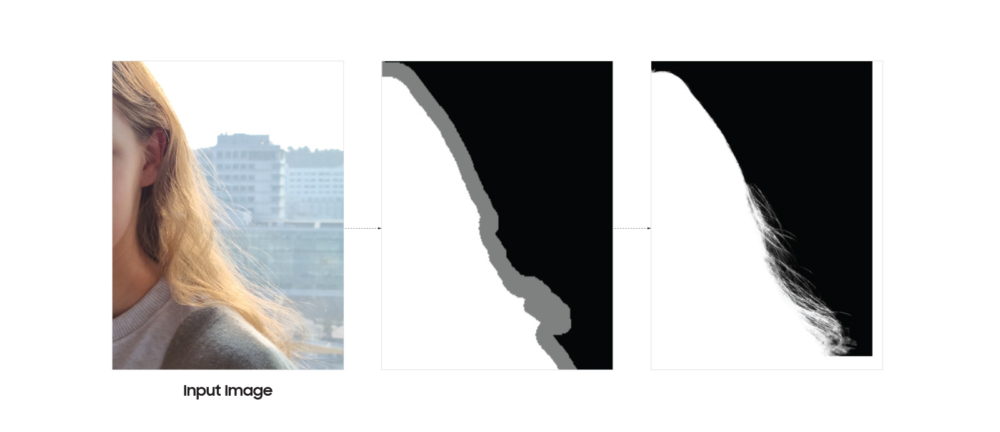
Later, a matte map is created to bring out the details in the facial features and hair. The phone also creates a depth estimation to apply the depth-of-field effect and to refine background details. In the image below, you can see that white represents the subject, black represents the background, and grey represents the point where the subject and the background meet. Samsung claims that its new phones can recognize whether the user is capturing a portrait shot of a single person, a group of people, or pets.

Samsung Galaxy S21 Updated Portrait Mode Refining Details

All the maps are then blended with the original image to produce a final, high-resolution image. Samsung claims that all of this happens in the background within three seconds so that a user doesn’t have to wait or think too much while capturing portraits or selfies.

  • Model: SM-G991B
  • Dimensions: Bar: 151.7 x 71.2 x 7.9 mm
  • Display: 6.2 inch / 157.48 mm Dynamic AMOLED 2X
  • CPU: Exynos 2100
  • Camera: 12MP
  • Model: SM-G996B
  • Dimensions: Bar: 161.5 x 75.6 x 7.8 mm
  • Display: 6.7 inch / 170.18 mm Dynamic AMOLED 2X
  • CPU: Exynos 2100
  • Camera: 12MP
  • Model: SM-G998B
  • Dimensions: Bar: 165.1 x 75.6 x 8.9 mm
  • Display: 6.8 inch / 172.72 mm Dynamic AMOLED 2X
  • CPU: Exynos 2100
  • Camera: 12MP

The post Here’s how Samsung has improved selfies and portraits with Galaxy S21 appeared first on SamMobile.


from SamMobile https://ift.tt/2YLaVT7
via IFTTT

OneDrive app update brings support for Samsung Motion Photos

Samsung and Microsoft have been collaborating over the past few years for various projects. Microsoft’s Your Phone app-related features almost always debut on Samsung phones, and the two companies recently announced Samsung Reminders sync with Microsoft To-Do. Microsoft has now announced that it is bringing Samsung Motion Photos playback capability to its OneDrive app.

Samsung Motion Photos, short videos (with audio) captured alongside still images on Galaxy devices, can now be played back within the new OneDrive app for Android. The feature will only work on devices running Android 6.0 or above. The new version of OneDrive will also be able to playback 8K videos, a feature Samsung introduced last year with the Galaxy S20 series. While OneDrive always allowed storing 8K videos and Samsung Motion Photos, the app is only now receiving the ability to playback those files.

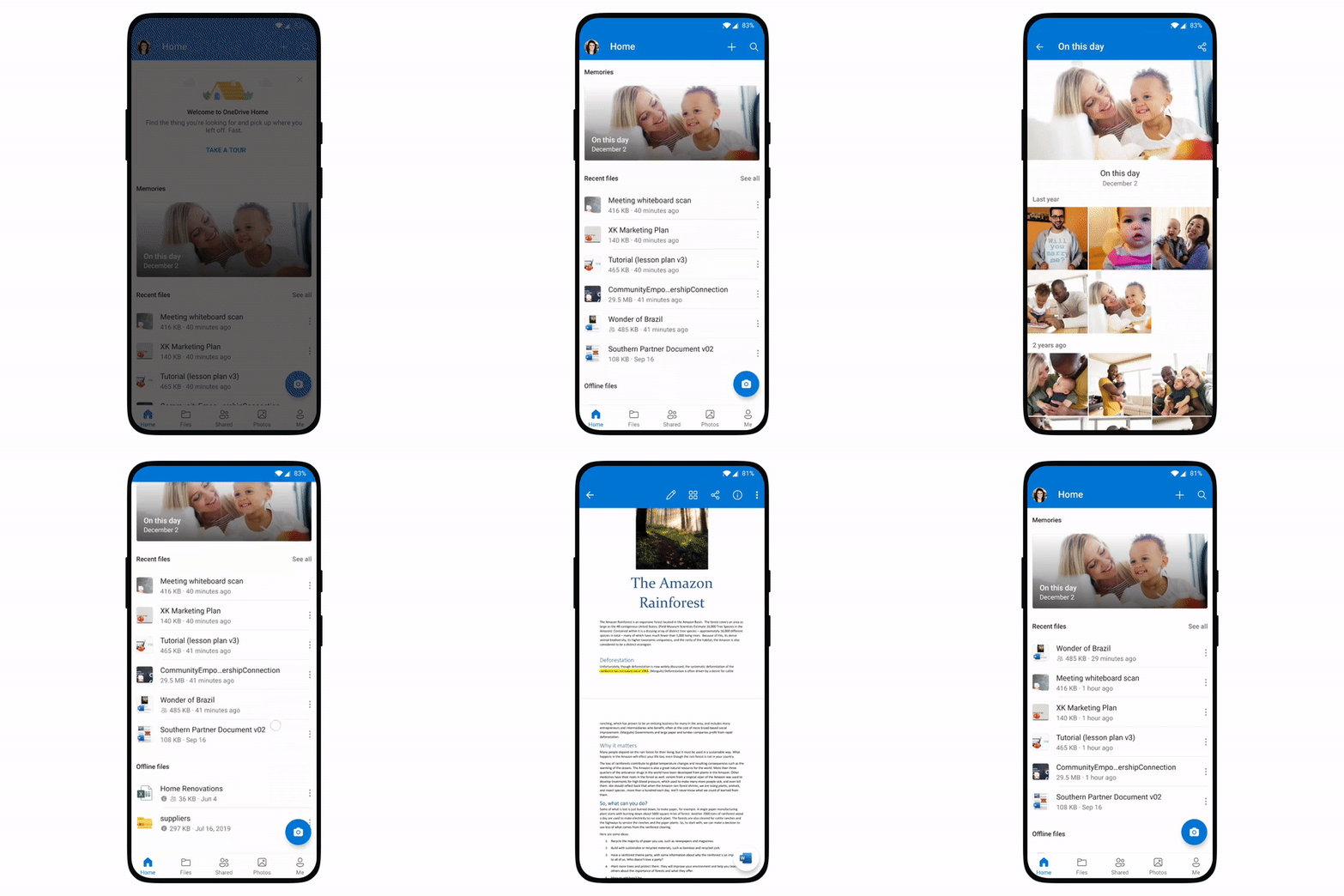
The new OneDrive app update is already rolling out worldwide. The new version of the app also brings a new home screen, featuring quick access to recent files, offline files, and memories titled ‘On This Day.’ Microsoft is hoping that the new features could push more users to ditch Google Photos in favor of OneDrive. Google Photos can’t save Samsung Motion Photos properly anymore, so OneDrive might be a better choice for Galaxy users.

Samsung pre-installs various Microsoft apps on its Galaxy smartphones and tablets. The company had also collaborated with Microsoft for early access to Project xCloud game streaming on Galaxy devices. The South Korean firm also includes Microsoft 365 services with the Samsung Access care plan in the US.

Microsoft OneDrive Android App Update Features

The post OneDrive app update brings support for Samsung Motion Photos appeared first on SamMobile.


from SamMobile https://ift.tt/3cAXOMp
via IFTTT

There’s a fix to Samsung shipping the Galaxy S21 with the wrong CSC

Galaxy S21 buyers in a few European countries haven’t had the smoothest setup experience with the new flagship, as Samsung Pay issues and problems with OTA updates have unexpectedly cropped up shortly after the phone got shipped to customers. The good news is that the problem isn’t widespread, it’s manageable by users, and Samsung is already addressing it through a firmware update.

Samsung has apparently shipped the Galaxy S21 series with the wrong CSC (Country Specific Code) in a couple of markets, with Italy and the UK seemingly recording the highest number of complaints from customers. The CSC is used to apply geo-specific settings, access points etc. and because some Galaxy S21 units have mistakenly been shipped with a generic CSC for Europe, they’re experiencing various issues with OTA updates and other Samsung services including Pay.

Samsung is already addressing the issue and there’s a workaround

Samsung is reportedly rolling out a firmware update in countries affected by this problem in order to address it, so if you happen to own the Galaxy S21 and you’ve experienced OTA or Samsung Pay issues, you’re advised to head over to Settings and check for new firmware updates on your phone. As always, you can also download new firmware for free from SamMobile’s firmware archive.

If the update hasn’t reached your device yet then you can follow another solution that was discovered by the Samsung community. It turns out that the CSC problem occurs largely when setting up the Galaxy S21 for the first time without a SIM card inserted, but the CSC issue can apparently be solved by turning off Wi-Fi and removing the SIM, powering off the phone, re-inserting the SIM and then powering the phone back on. You can find a more detailed explanation on the community website.

  • Model: SM-G991B
  • Dimensions: Bar: 151.7 x 71.2 x 7.9 mm
  • Display: 6.2 inch / 157.48 mm Dynamic AMOLED 2X
  • CPU: Exynos 2100
  • Camera: 12MP

  • Model: SM-G996B
  • Dimensions: Bar: 161.5 x 75.6 x 7.8 mm
  • Display: 6.7 inch / 170.18 mm Dynamic AMOLED 2X
  • CPU: Exynos 2100
  • Camera: 12MP

  • Model: SM-G998B
  • Dimensions: Bar: 165.1 x 75.6 x 8.9 mm
  • Display: 6.8 inch / 172.72 mm Dynamic AMOLED 2X
  • CPU: Exynos 2100
  • Camera: 12MP

The post There’s a fix to Samsung shipping the Galaxy S21 with the wrong CSC appeared first on SamMobile.


from SamMobile https://ift.tt/2MRWzh6
via IFTTT

Reasons why Galaxy Note 9 users should buy or skip the Galaxy S21 Ultra

Samsung’s Galaxy S flagship series has never before crossed over into Galaxy Note territory as it did this year, and it’s all thanks to the Galaxy S21 Ultra. Unlike in all the previous years, the new flagship is equipped with a display digitizer capable of recognizing S Pen inputs, and Samsung is selling optional S Pen accessories separately. But is the Galaxy S21 Ultra an actual Galaxy Note replacement? Not really, though it could be a valid choice for Galaxy Note 9 owners who might be looking for an upgrade. Let’s find out.

Reasons to upgrade from the Galaxy Note 9 to the Galaxy S21 Ultra

Better internal hardware

It’s normal for a flagship that’s two and a half years old to be outperformed by newer solutions, and this is undeniably the case for the Galaxy Note 9 and the Galaxy S21 Ultra. The Exynos 2100 and Snapdragon 888 chipsets are vastly superior to the Exynos 9810 / Snapdragon 845 SoCs, and the newer flagship has twice the amount of RAM as standard (12GB).

Newer firmware with better support

The Galaxy Note 9 was released running Android 8.1 and although it was later updated to Android 10 and One UI 2.5, it will no longer receive any major OS updates, though it will continue getting security updates for a while.
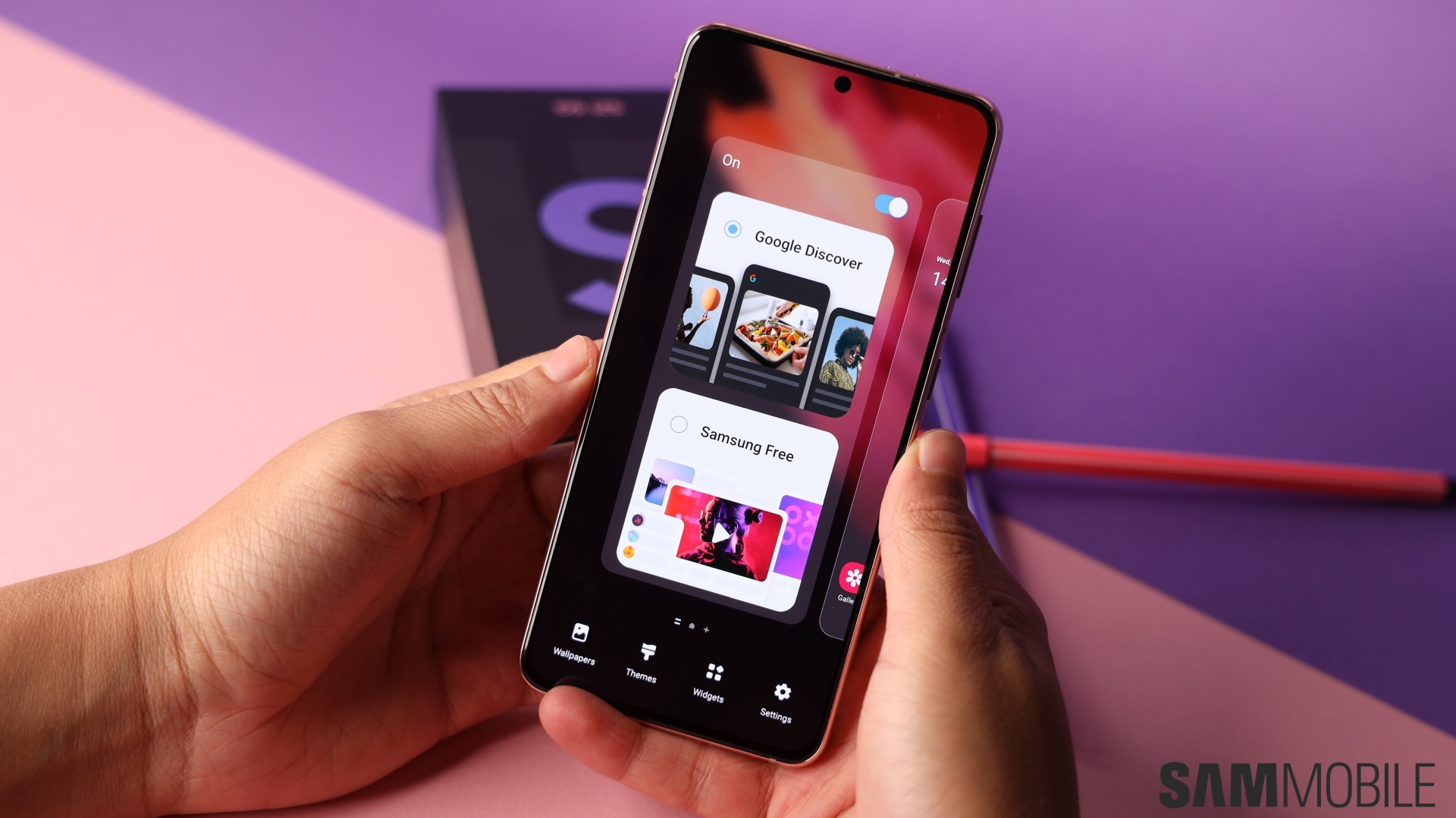
The Galaxy S21 Ultra, on the other hand, is not only shipping with Android 11 and One UI 3.1 out of the box but it will also offer three major Android OS updates throughout its lifetime as opposed to just two. If you’re looking for a more complete software experience, the Galaxy S21 Ultra is the only way to go.

Better, faster display and Gorilla Glass protection

The Galaxy S21 Ultra has a new Dynamic AMOLED 2X display with a 6.8-inch diagonal as opposed to 6.4 inches. More importantly, the panel is HDR10+ compliant, it has a taller 20:9 aspect ratio, and it supports a 120Hz refresh rate.

Besides, the Galaxy S21 Ultra employs newer Gorilla Glass Victus for the display and back panel, whereas the Galaxy Note 9 and its Gorilla Glass 5 protection are less resilient.

Better (and more) cameras

Although the Galaxy Note 9 had a very competent camera system at launch, time hasn’t been too kind to the device and the dual 12MP main sensors are simply unable to compete with the Galaxy S21 Ultra’s quad-camera combo.
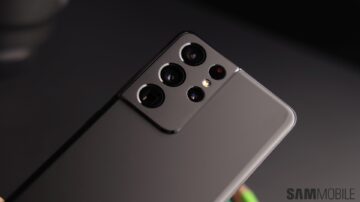
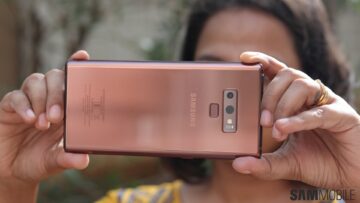
All four of its sensors boast autofocus, and the setup is capable of 10x optical zoom. Meanwhile, the Galaxy Note 9’s 8MP selfie sensor can’t hold a candle to the S21 Ultra’s 40MP shooter.

Bigger battery with faster charging

Samsung’s new Galaxy S21 Ultra has a battery that’s 1,000mAh larger than the Galaxy Note 9’s. It clocks in at 5,000mAh and it supports 25W fast charging, up from 15W.

Furthermore, wireless charging is faster at 15W, and the Galaxy Note 21 Ultra has the added benefit of reverse wireless charging, whereas the Galaxy Note 9 lacks this functionality altogether.

More modern connectivity features

The 5G era is upon us and the Galaxy Note 9 simply won’t be able to keep up. It is and will always be limited to LTE connectivity, whereas the Galaxy S21 Ultra provides 5G as well as Wi-Fi 6E and UWB. The latter is used for features such as Find My Mobile and it will be employed by the Galaxy SmartTag Pro and possibly other future accessories. In other words, the Galaxy S21 Ultra technically offers better compatibility with Samsung’s ecosystem.

New design with an in-display fingerprint sensor

There probably aren’t too many people around who prefer the Galaxy Note 9’s design over the Galaxy S21 Ultra’s, which is perfectly understandable. The latter device invigorates Samsung’s design formula with a prominent camera bump, and the Galaxy Note 9’s camera setup looks puny in comparison.
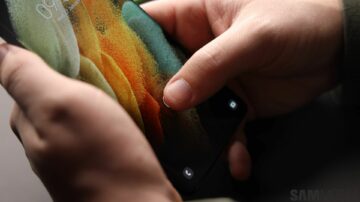
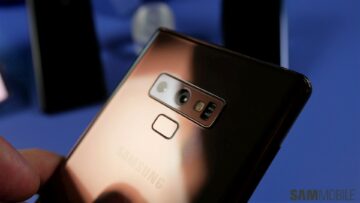
The Galaxy S21 Ultra has a modern, bezel-less Infinity-O display, whereas the Galaxy Note 9’s top bezel is thick enough to accommodate the loudspeaker and all the sensors. Furthermore, the new model has an in-display fingerprint sensor whereas the Galaxy Note 9’s rear-mounted sensor is not as conveniently placed.

You don’t have to give up on the S Pen entirely

Loyal Galaxy Note customers who may have been tempted to cross over to the Galaxy S series but haven’t done so because of the S Pen might have enough reasons to reconsider. The Galaxy S21 Ultra is the only device in the series to offer S Pen compatibility, and it even works with existing Galaxy Note S Pens.
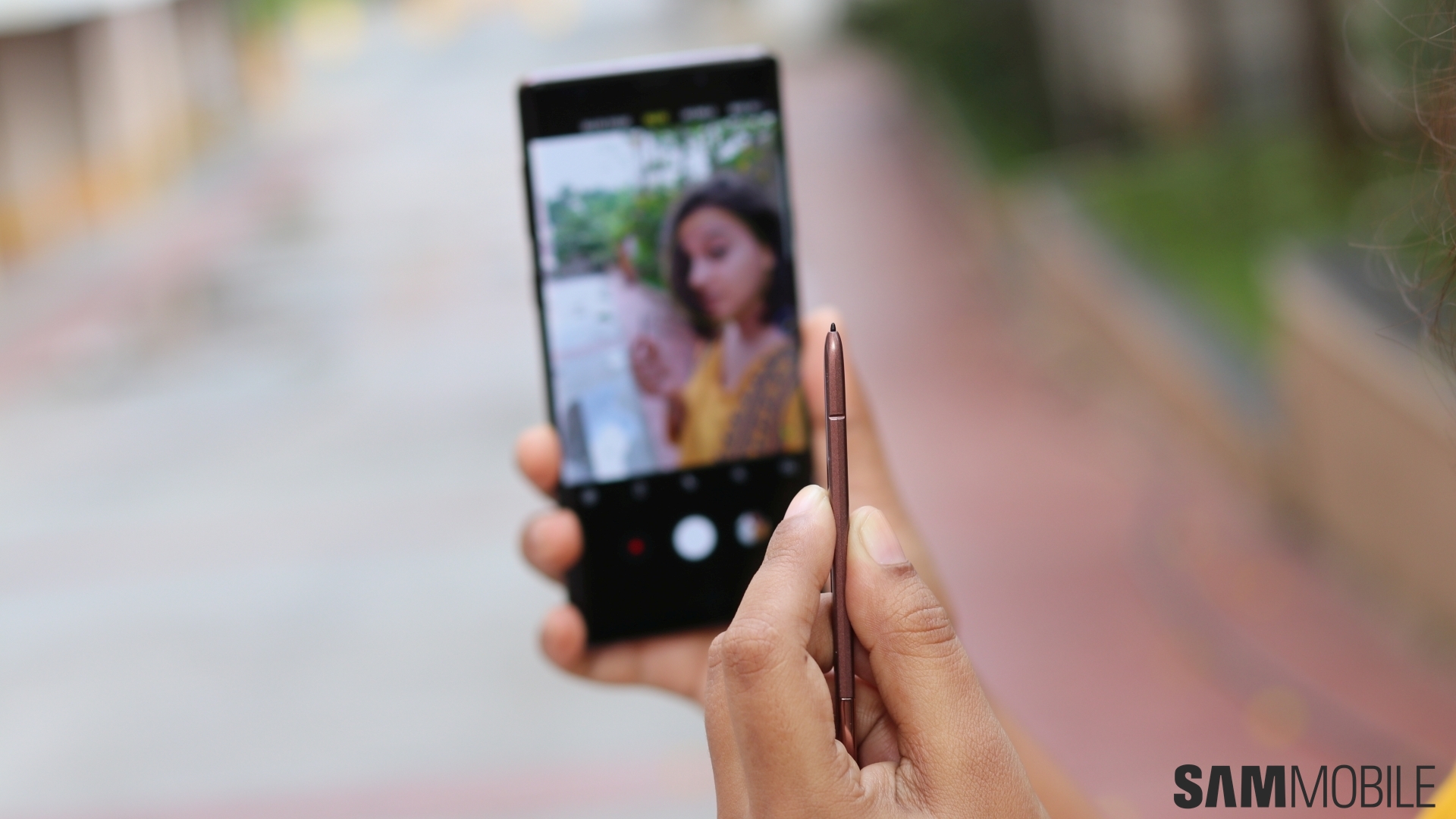
The implementation is not ideal — which can be a reason why you’d want to skip the Galaxy S21 Ultra, as we’ll explain below, — but something is better than nothing in certain situations and the Ultra’s S Pen still offers a nearly-complete experience with access to the S Pen suite of productivity apps. Not to mention that the 120Hz display makes writing and doodling noticeably smoother.

Reasons to keep the Galaxy Note 9 and skip the Galaxy S21 Ultra

You might think that a 2.5-year-old flagship can’t offer any benefits over a brand-new premium solution but that’s not the reality we live in. In truth, although the Galaxy S21 Ultra represents a clear upgrade over the Galaxy Note 9 in most areas, the latter device still has a few unique features of its own, and they might just be enough to persuade existing owners to skip the new flagship.

Iris scanner

The Galaxy Note 9 was Samsung’s last smartphone to boast an iris scanner, so upgrading to the Galaxy S21 Ultra would mean no more of this technology. Ironically, the iris scanner is actually more useful in the post-pandemic world than ever before, as facial recognition doesn’t work that well with face masks.

Heart rate and SpO2 sensors

It’s been a few years since Samsung began removing the heart rate monitor and SpO2 sensor from its flagship phones. These technologies still exist on Galaxy smartwatches but no longer on Samsung’s phones, unless you own an older model like the Galaxy Note 9.
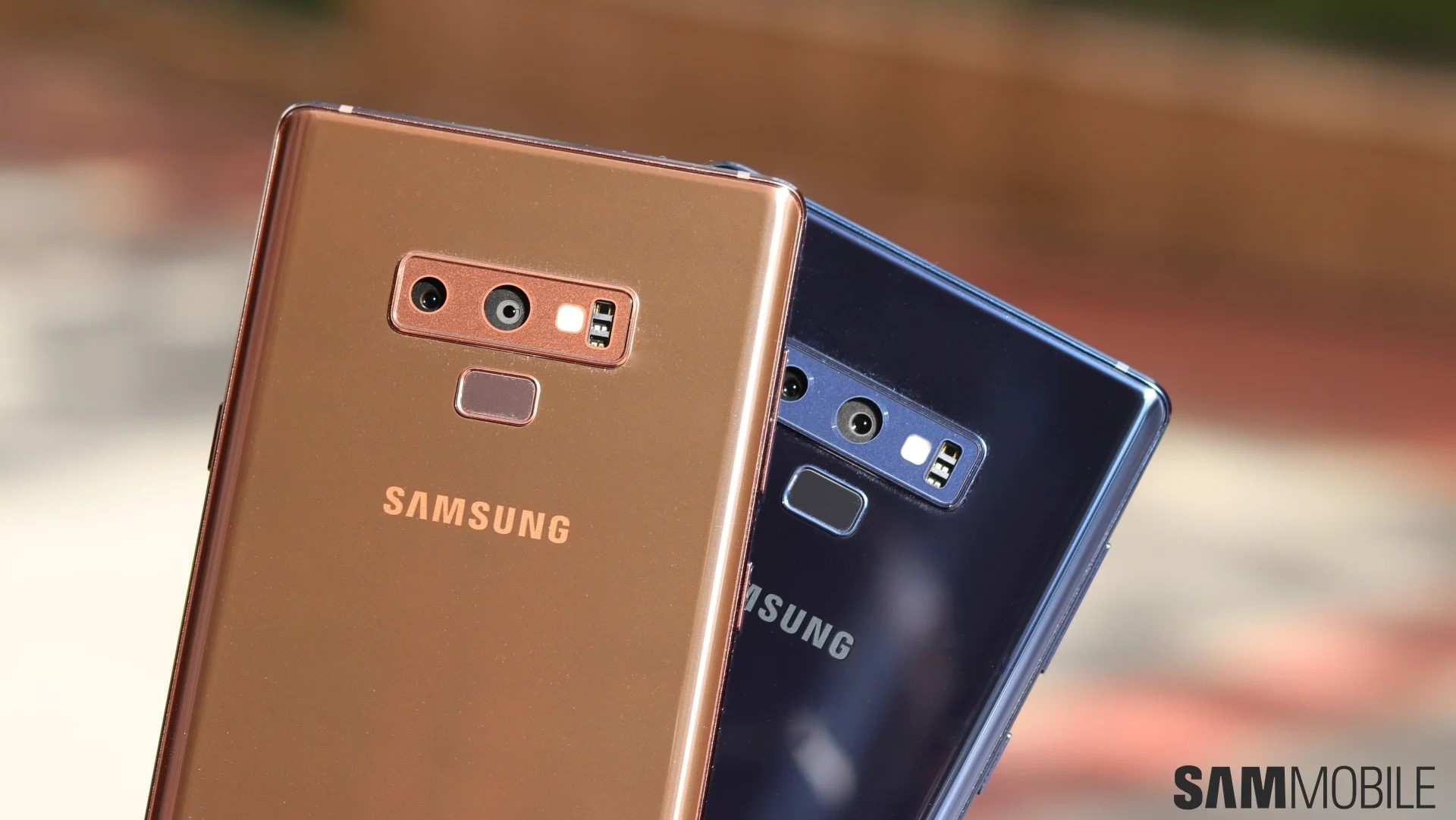
This means that Galaxy S21 Ultra buyers who don’t want to give up on these health-related features will have to spend extra on a Galaxy wearable.

No 3.5mm headphone jack and expandable storage

By now it shouldn’t surprise anyone that Samsung’s latest flagship phones don’t have a 3.5mm headphone jack, but what might be surprising to Galaxy Note 9 owners who may be looking for an upgrade is that the Galaxy S21 Ultra also lacks expandable storage.

The new flagship is offered with 128GB, 256GB, or 512GB of built-in storage which should be enough for a lot of users, but there are many reasons why having expandable storage is a great option, especially for a productivity-oriented device that ships with an S Pen.

The S Pen implementation is not ideal

And finally, even though the addition of an S Pen to the Galaxy S21 Ultra is refreshing and can be viewed as a positive, the implementation leaves something to be desired. Simply put, the Galaxy S21 Ultra has a digitizer that’s compatible with the S Pen and it ships with Samsung’s suite of productivity apps, but it wasn’t purpose-built for the task.
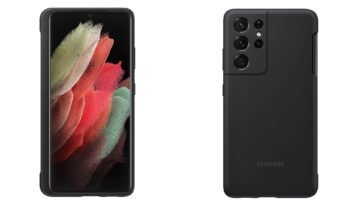
Because of this, the Galaxy S21 Ultra doesn’t have a dedicated S Pen holster and Samsung is selling the S Pen as an optional accessory. Furthermore, the S Pen’s functionality is indeed bolstered by the 120Hz display, but on the other hand, the phone isn’t compatible with any Bluetooth-related S Pen features such as Air Actions.

Galaxy Note 9 or Galaxy S21 Ultra: Final conclusion

If you feel like you’ve had enough of the Galaxy Note series but you don’t want to give up on the S Pen entirely then the Galaxy S21 Ultra is your best alternative for an upgrade. Just be ready to give up on a few features that will eventually be gone forever — such as the iris scanner, the 3.5mm headphone jack, and possibly expandable storage — and you’ll enjoy the Galaxy S21 Ultra a whole lot more.

Giving up on the Galaxy Note 9 in favor of the Galaxy S21 Ultra will offer access to newer firmware, better hardware, a massively-improved camera system with optical zoom, 5G and other connectivity features, and a modernized design just to name a few.

Even so, these extras might not be enough for avid Galaxy Note users who may have bought into this series specifically for the S Pen, though we suspect that these customers wouldn’t be looking at the Galaxy S series for a purchase anyway.

Ultimately, if the other hardware improvements aren’t all that important then the final decision will depend on what customers like most about the S Pen. Are Air Actions more important than the smooth, lag-free experience powered by 120Hz displays? Is a protective case with an S Pen holster a good-enough implementation, or does the S Pen always have to reside inside the phone with no extra accessories needed?

We believe the Galaxy S21 Ultra is a better, more future-proof phone and a wiser purchase in 2021, but we understand why some Galaxy Note 9 owners might be reluctant to switch sides. If you’re fearful of buyer’s remorse then perhaps it would be better for you to hold off from buying the new flagship until we find out what fate awaits the entire Galaxy Note series later this year.

  • Model: SM-G998B
  • Dimensions: Bar: 165.1 x 75.6 x 8.9 mm
  • Display: 6.8 inch / 172.72 mm Dynamic AMOLED 2X
  • CPU: Exynos 2100
  • Camera: 12MP

  • Model: SM-N960F
  • Dimensions: Bar: 161.9 x 76.4 x 8.8 mm
  • Display: 6.4 inch / 162.56 mm Super AMOLED Display
  • CPU: Exynos 9810
  • Camera: 12MP

The post Reasons why Galaxy Note 9 users should buy or skip the Galaxy S21 Ultra appeared first on SamMobile.


from SamMobile https://ift.tt/3czqtkZ
via IFTTT

Galaxy F62 battery specs and pricing emerge before mid-February debut

Samsung’s unusual Galaxy F smartphone series is here to stay and a new model called the Galaxy F62 will be unveiled in India in just a couple of weeks, reveals the local media. The phone will reportedly go on sale for under INR 25,000 ($343), which sounds like great value for a device that’s expected to ship with a generous 7,000mAh battery and a flagship-grade Exynos chipset.

The Galaxy F62 will reportedly hit the Indian market in mid-February, though no exact date was revealed, and it will probably hit the shelves through retail partner Flipkart on a limited-time exclusivity. Financing options and/or early adopter bonuses should be revealed soon.

Monstrous battery and flagship-grade SoC

Early benchmarks have previously revealed that the Galaxy F62 will be powered by the Exynos 9825 chipset, which is the same solution that was employed by the Galaxy Note 10 series in late 2019. The new report further confirms this detail and reveals that the Galaxy F62 will also be one of Samsung’s few phones (so far) to boast a massive 7,000mAh battery. Fast charging speeds are unknown but we’re probably looking at 15W.

The Galaxy F62 will be joined on the market by the Galaxy F12, though launch details for the latter model are missing. It’s possible that both will be released around the same date, with the Galaxy F12 arriving as a much more cost-effective alternative.

The post Galaxy F62 battery specs and pricing emerge before mid-February debut appeared first on SamMobile.


from SamMobile https://ift.tt/3cBVogs
via IFTTT

جميع الحقوق محفوظة لمدونة الغريب 2013